
CyberCode Academy
CyberCode Academy
0
CyberCode Academy is an educational podcast that teaches programming and cybersecurity through short, focused episodes. It is designed as an audio classroom, taking listeners from beginner to advanced levels one lesson at a time. The content covers topics like Python, web development, ethical hacking, and digital defense, breaking down complex concepts into simple and engaging audio lessons. It is free to listen and download on multiple platforms.
Jaksot
-
 Course 43 - Practical Malware Development | Episode 5: Error Handling & HTTP Polling 16.09.2026 19minThis episode moves beyond local command processing and introduces the fundamentals of network-based communication in a C# security-testing environment.The lesson begins by improving the reliability of the existing application through structured exception handling and more robust command parsing. It then examines the concepts behind periodic HTTP communication, connection monitoring, and graceful failure handling.1. Improving Application StabilityThe first section focuses on making the application more fault-tolerant.Core operations are protected with try-catch exception handling, allowing the program to detect errors without immediately terminating.The approach is applied to operations such as:File retrievalDirectory enumerationSystem command processingOther potentially error-prone operationsWhen an exception occurs, the application can retrieve the exception's message and return meaningful information about the failure.This provides an important programming lesson: applications that interact with operating-system resources or networks should anticipate failures rather than assuming every operation will succeed.2. Fixing the Command ParserThe episode then addresses a bug in the command parser.The original implementation expected every command to contain a space separating the command from an argument. Commands without an argument could therefore cause the parser to fail.The improved logic checks whether the input contains the expected separator:If an argument exists, the input is divided into command and argument components.If no separator exists, the entire input is treated as the command.The argument is initialized appropriately when it is absent.This makes the command-processing system considerably more robust.3. Improving Directory EnumerationThe directory-listing functionality is also improved.When the user does not provide a specific path, the application can fall back to the current working directory rather than attempting to process an empty path.This creates a more intuitive command-line experience while demonstrating an important programming principle: functions should define sensible defaults when optional input is missing.4. Periodic HTTP CommunicationThe second half of the episode introduces a network communication model based on periodic HTTP requests.The conceptual workflow involves:Establishing a connection to a remote service.Sending an HTTP request at regular intervals.Waiting for a defined period.Repeating the communication cycle.Handling communication failures without immediately terminating the application.The lesson uses C# networking functionality to demonstrate how applications can maintain periodic communication with a remote endpoint.From a security perspective, this behavior is important to understand because periodic outbound connections can also appear in command-and-control traffic and are therefore valuable indicators during network monitoring.5. Connection Failure HandlingNetwork connections are inherently unreliable, so the communication loop incorporates failure tracking.A connection-failure counter is used to distinguish between temporary problems and persistent connectivity failures.Conceptually:Successful Request → Reset Failure CounterFailed Request → Increment Failure CounterIf consecutive failures reach a predefined threshold, the application exits the communication loop gracefully instead of continuing indefinitely.This demonstrates a broader software-engineering principle: network-dependent applications should have clear timeouts, retry limits, and termination conditions.6. Monitoring Network ActivityThe episode concludes by demonstrating how network communication can be verified from the server side.Server logs can provide...
 -
 Course 43 - Practical Malware Development | Episode 4: System Navigation and Command Execution 15.09.2026 16minIn this episode, we build a custom interactive command-line shell in C#, exploring how applications can combine filesystem navigation, system reconnaissance, and operating-system command execution into a single interface.The episode takes a practical, step-by-step approach, beginning with basic directory operations and gradually introducing system information gathering and command execution.1. Directory NavigationWe begin by building the foundations of the custom shell around local filesystem interaction.Using C# system I/O functionality and the Directory class, we implement commands that allow the application to:Change the current directoryDisplay the current working locationList files and directoriesProcess filesystem paths dynamicallyFormat command output using StringBuilderThese components establish the basic navigation capabilities expected from a command-line environment.2. System ReconnaissanceOnce filesystem navigation is in place, we expand the shell with system-information commands.The application can query important host information, including:Operating system detailsCurrent usernameNetwork and IP informationProcess informationCurrent security and administrative privilegesThis demonstrates how C# applications can interact with Windows APIs and built-in system classes to obtain information about the environment in which they are running.3. Command ExecutionThe final stage introduces operating-system command execution through the C# Process class.The shell is designed to distinguish between its own built-in commands and commands that are not recognized internally. Unrecognized input can then be passed to the Windows command interpreter.The implementation demonstrates concepts such as:Creating and managing processesRedirecting standard outputCapturing standard errorReading process results programmaticallyPresenting command output through the custom interfaceThis creates a bridge between the C# application and the underlying operating system.4. Putting the Shell TogetherThe episode brings all three capabilities into one workflow:Directory Navigation → System Reconnaissance → Command Processing → OS InteractionRather than relying exclusively on the standard command prompt, the custom application provides its own interface for interacting with the local environment.From a cybersecurity perspective, understanding these mechanisms is particularly valuable for authorized security testing, malware analysis, and defensive research, because similar operating-system interaction techniques can appear in both legitimate administration tools and malicious software.Key TakeawaysBy the end of this episode, learners should understand how to:Build a basic command-line interface in C#Navigate the Windows filesystem programmaticallyEnumerate files and directoriesCollect system and user informationInspect process and privilege informationCreate and manage processes with the Process classCapture standard output and error streamsConnect a C# application to the Windows command interpreterThis episode provides an important foundation for understanding C# system programming and Windows security tooling, while demonstrating how relatively simple programming components can be combined to create a powerful operating-system interaction framework.You can listen and download our episodes for free on more than 10 different platforms:https://linktr.ee/cybercode_academy
 -
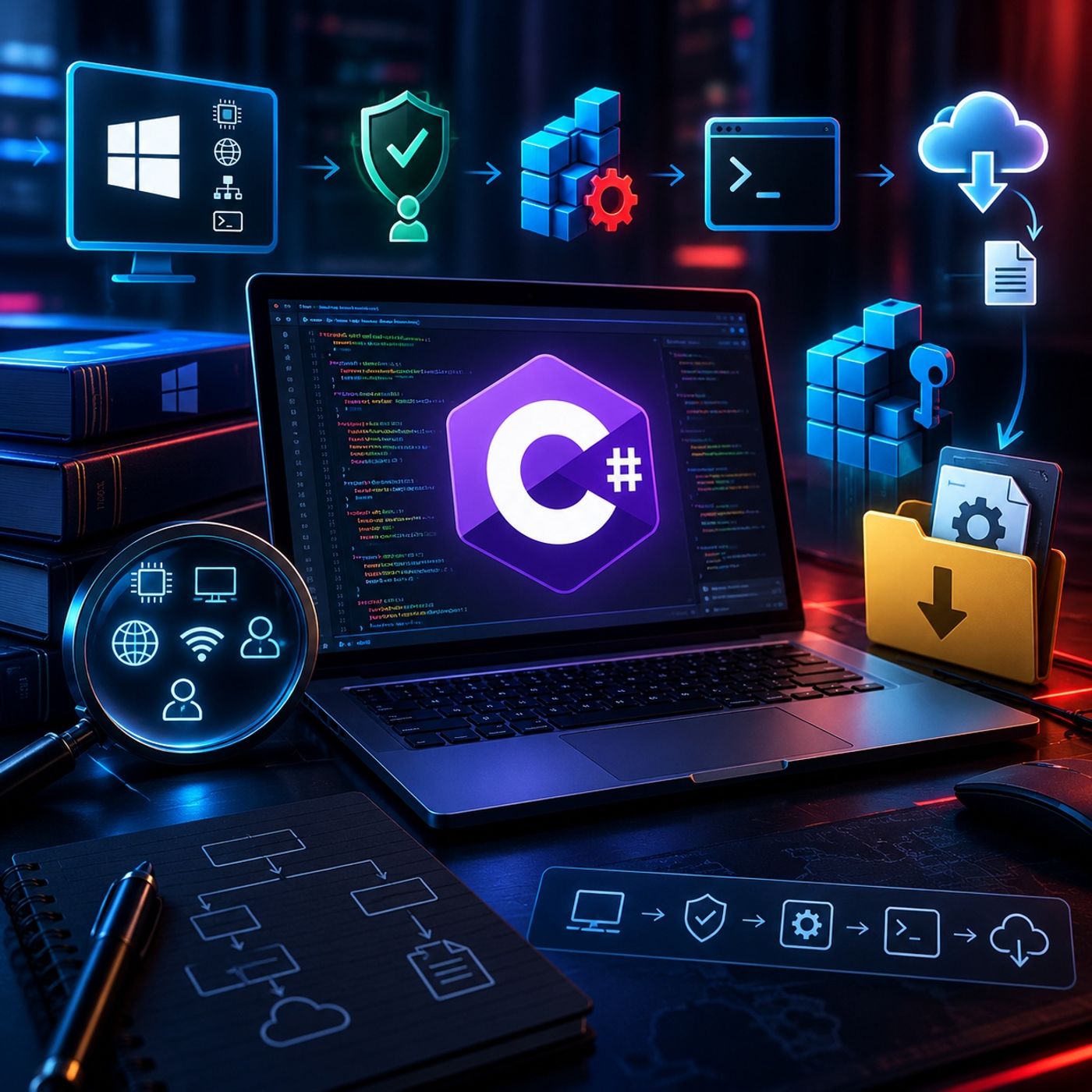 Course 43 - Practical Malware Development | Episode 3: Recon, Registry Persistence, and Web Downloading 14.09.2026 20minThis episode introduces the core concepts behind offensive C# development for authorized penetration testing and red-team environments. The walkthrough follows a simplified offensive-tool lifecycle, beginning with host reconnaissance and progressing through persistence mechanisms and dynamic retrieval of additional components.The focus is on understanding how C# can interact directly with the Windows operating system and its APIs.1. Host Reconnaissance and System InformationThe episode begins with local reconnaissance using built-in C# functionality.The application demonstrates how to collect information such as:Operating system detailsComputer and host nameCurrent working directoryProcess identifierNetwork configurationIPv4 addressCurrent user's security contextThe Environment and Process classes provide convenient interfaces for retrieving system and process information.The episode also introduces:WindowsIdentityWindowsPrincipalThese classes can be used to determine whether the current process is operating with administrator-level privileges, an important consideration when assessing what actions a security tool can perform.2. Understanding Windows PersistenceThe next section examines Windows persistence from a defensive and red-team perspective.The example demonstrates how an application can interact with Windows Registry locations associated with startup execution. The application creates or modifies a registry value that references its executable, allowing the program to launch automatically when the relevant user session starts.The workflow covers:Opening registry locations with appropriate permissionsCreating or modifying registry valuesAssociating a value with an executable pathProperly releasing registry resourcesVerifying startup entries through Windows administrative interfacesThis section illustrates why registry-based persistence is an important artifact for defenders to monitor during endpoint investigations.3. Command ParsingThe episode then introduces a basic command-processing mechanism.The application receives a command and separates the command keyword from its associated argument. For example, a conceptual command such as:download can be parsed into:The requested operationThe supplied resource or argumentThis provides a foundation for applications that need to interpret structured input and execute different functionality based on the received command.4. Dynamic File RetrievalThe final technical component demonstrates how a C# application can retrieve a remote file using the WebClient class.The workflow covers:Receiving a resource locationParsing the supplied URLDetermining the remote file nameConstructing a local destinationSaving the retrieved file in the user's temporary directoryThe example uses the Windows temporary-data location under:AppData\Local\TempThe concept is particularly relevant to malware analysis because legitimate applications and malicious programs can both download secondary resources dynamically. Security analysts should therefore treat unexpected network downloads and newly created executable files as potentially important investigation artifacts.5. Offensive Tool LifecycleThe episode brings these concepts together into a simplified lifecycle:Host Reconnaissance → Privilege Assessment → Persistence → Command Processing → Resource RetrievalEach stage demonstrates a different aspect of Windows interaction through C#.From a defensive perspective, the same workflow can be used to identify useful detection opportunities, including:
 -
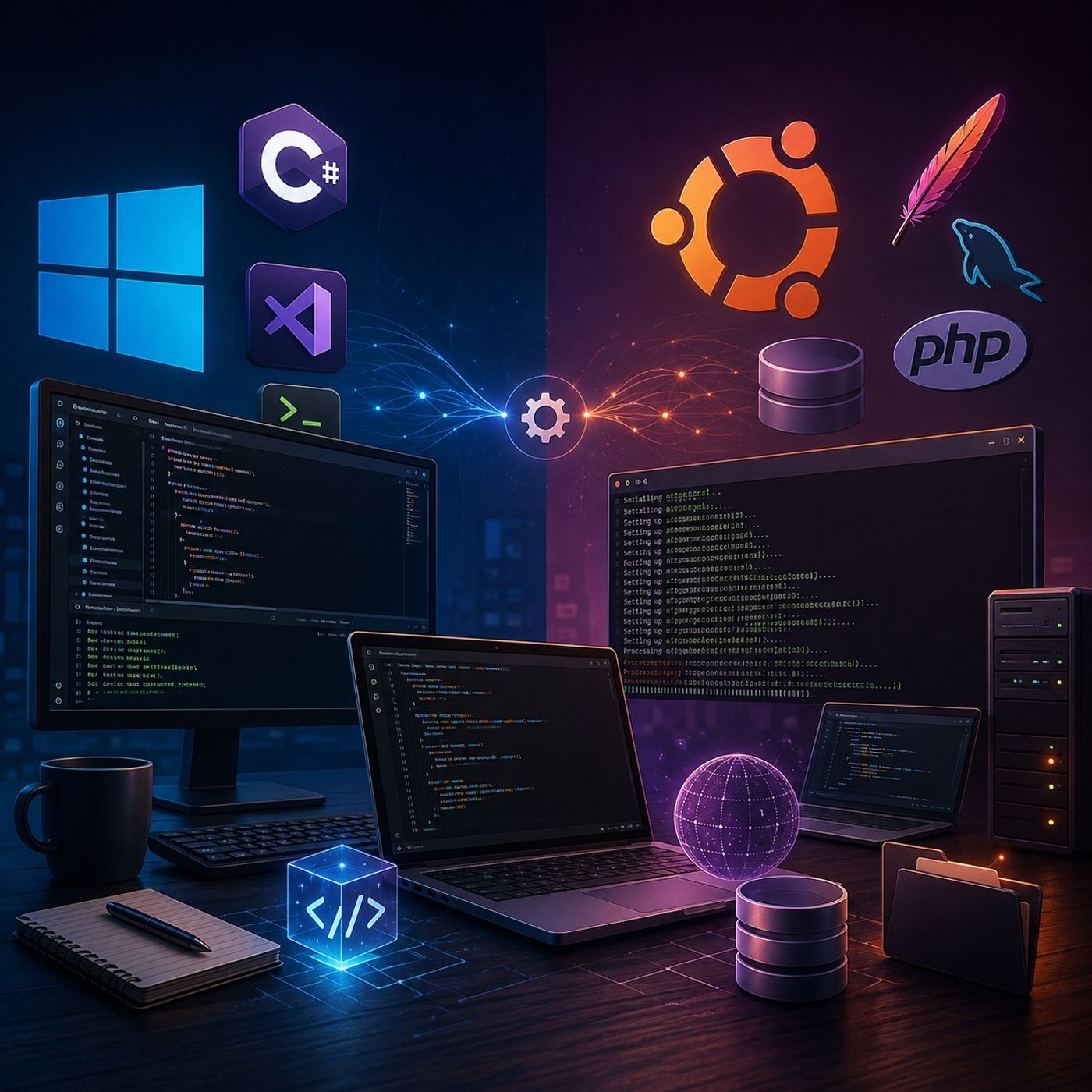 Course 43 - Practical Malware Development | Episode 2: Building Your Dual-OS Dev Labs 13.09.2026 19minThis episode establishes the essential development foundations across Windows and Linux, preparing the workspace for advanced scripting, application development, and future security-focused projects.The episode takes a practical, hands-on approach, configuring a Windows development environment and then building a complete local web and database stack on Ubuntu.1. Configuring the Windows Development EnvironmentThe first part of the episode focuses on preparing Windows for C# and .NET development.The setup includes:Installing .NET CoreInstalling Visual Studio Code (VS Code)Installing the C# extension for VS CodeCreating a dedicated project directory named "Red team develop"Initializing a new console applicationUsing the integrated VS Code terminalCompiling and running a simple "Hello World" applicationVerifying that the complete development toolchain is functioning correctlyThis provides a lightweight development environment suitable for building and testing Windows-based applications.2. Building the Ubuntu Web Development StackThe episode then moves to Ubuntu and focuses on establishing a complete local web application environment.The main components installed are:Apache — Web serverMySQL — Database serverPHP 7.2 — Server-side programming environmentPHP database extensionsPHP multibyte string extensionsAtom — Code editorThe installation process is performed primarily through the Ubuntu terminal, providing practical experience with package management and Linux-based development configuration.3. Verifying Background ServicesAfter installation, the episode demonstrates how to verify that the required services are properly configured and running.Particular attention is given to:Checking the Apache serviceChecking the MySQL serviceConfirming that services are running in the backgroundTroubleshooting installation or service-related issuesEnsuring that the local development stack is ready for application development4. Configuring the Atom EditorThe final stage involves installing and launching Atom on Ubuntu.The episode demonstrates how to work with the downloaded Debian package and complete the editor installation, providing a graphical development environment for working with web application source code.Final Development EnvironmentBy the end of the episode, the development workspace contains two complementary environments:Windows.NET CoreVisual Studio CodeC# development supportDedicated application project directoryVerified console applicationUbuntuApache web serverMySQL database serverPHPRequired PHP extensionsAtom code editorVerified background servicesKey TakeawaysAfter completing this episode, learners should understand how to:Set up a functional C#/.NET development environmentCreate and execute a basic console application using VS CodeInstall development packages on UbuntuConfigure an Apache + MySQL + PHP stackVerify Linux services and their background operationInstall and configure a Linux-based code editorPrepare a cross-platform workspace for future development and security exercisesThe completed environment provides a strong foundation for progressing toward more advanced scripting, web application development, server-side programming, and security-focused development.You can listen and...
 -
 Course 43 - Practical Malware Development | Episode 1: Building Your Virtual Sandbox 12.09.2026 20minThis episode provides a complete, step-by-step guide to building a practical virtual sandbox using VirtualBox or VMware. The goal is to create isolated and reliable Windows and Linux environments that can be used for software development, testing, and server-side application work.1. Preparing the Virtualization EnvironmentThe episode begins by covering the essential software and installation media required to build the lab:Installing VirtualBox or VMwareObtaining the official Windows 10 ISOObtaining the Ubuntu Linux 18.04 ISOPreparing the host system for virtualizationUnderstanding the basic requirements for running multiple virtual machines2. Creating and Configuring Virtual MachinesNext, the episode walks through the process of creating the virtual machines and configuring their hardware resources.Key configuration topics include:Allocating sufficient RAMAssigning multiple virtual processorsConfiguring virtual storageSelecting the appropriate operating-system typeAdjusting VM settings for better performanceBalancing virtual-machine resources with the host system's available hardwareA practical baseline discussed in the episode is at least 3 GB of RAM and four processors for each environment, depending on the capabilities of the host machine.3. Installing Guest Integration ToolsThe episode then focuses on installing the tools required to improve communication between the host and guest operating systems.For VirtualBox, this involves Guest Additions, while VMware uses VMware Tools.These components provide useful integration features such as:Full-screen supportShared clipboard functionalityDrag-and-drop integrationImproved display and input supportBetter interaction between the host and guest systems4. Troubleshooting Tool InstallationInstalling these components is not always straightforward, so the episode also addresses common configuration problems.The walkthrough covers situations such as:Installation options appearing disabled or unavailableMounting the appropriate installation mediaExtracting installation packages on UbuntuUsing the Linux terminalExecuting installation commands with appropriate superuser privilegesTroubleshooting integration-tool installation problems5. Final Virtual SandboxBy the end of the episode, the lab contains two functional virtual environments:Windows 10 EnvironmentSuitable for Windows application development and testingConfigured with appropriate CPU and memory resourcesEnhanced with virtualization integration toolsUbuntu Linux EnvironmentOptimized for server-side web application developmentConfigured for practical development and testing tasksIntegrated with the host system through VMware Tools or Guest AdditionsKey TakeawaysAfter completing this episode, learners should understand how to:Build a virtual sandbox from scratchCreate and configure Windows and Linux virtual machinesAllocate CPU and memory resources effectivelyInstall Guest Additions and VMware ToolsEnable host-to-guest integration featuresTroubleshoot common virtualization-tool installation issuesPrepare isolated environments for development and testingThe result is a flexible virtualization laboratory that can serve as the foundation for future development, testing, cybersecurity, and server-side application...
 -
 Course 42 - Mobile Malware Analysis Fundamentals | Episode 15: iOS and Android Case Studies and Reporting 11.09.2026 20minThis module provides a hands-on exploration of mobile malware analysis through two distinct case studies, one for iOS and one for Android, designed to let you work independently to uncover the functionality of malicious programs. The episode is structured into the following key components: 1. iOS Case Study: Corporate Security Assessment The first scenario involves a corporate iPhone reported for "acting weird". As a security analyst, your goal is to:Assess the Risk: Determine if the corporate network is at risk or if company policies were violated.Analyze Functionality: Use techniques like running strings or Mob SF (especially if you lack a Mac or iDevice) to uncover what the application is doing.Structured Reporting: Create a report including a cover page, executive summary, and detailed sections for static, dynamic, and network analysis.2. Android Case Study: The "Free" App Investigation The second scenario focuses on a "free" version of a paid Pokemon Go application that is unexpectedly consuming a user's entire data plan. You are tasked with:Investigating Data Usage: Uncover why the app is depleting data so rapidly.Avoiding Online Tools: The exercise encourages staying away from automated online analysis to practice manual techniques.Documentation: Provide a written report for the "client" that includes the same core analysis sections (static, dynamic, and network).3. Reporting and Documentation Standards A major focus of this episode is the professional documentation of findings. The sources provide a template for a successful report, which should include:High-Level Overviews: Title pages, tables of contents, and executive summaries for non-technical stakeholders.Technical Deep Dives: Detailed results from debugging, static analysis (such as mutexes or registry keys), and network traffic monitoring.Comparative Learning: After completing your analysis, you are encouraged to compare your findings and report format against provided examples to evaluate your performance.You can listen and download our episodes for free on more than 10 different platforms:https://linktr.ee/cybercode_academy
 -
 Course 42 - Mobile Malware Analysis Fundamentals | Episode 14: Architecture and Essential Toolkits 10.09.2026 24minThis episode provides a comprehensive guide to designing and equipping a professional mobile malware analysis lab, with a focus on building a secure, repeatable, and well-instrumented environment for both iOS and Android research.1. Lab Design and InfrastructureThe episode begins by emphasizing that a professional malware lab requires more than simply running a few virtual machines. Researchers must carefully plan the environment around security, isolation, performance, and repeatability.Key considerations include:Network Architecture: Building isolated networks that prevent malware from reaching corporate or personal systems while still allowing controlled observation of malicious network traffic.Hardware Requirements: Allocating sufficient CPU, RAM, and storage to support multiple virtual machines, analysis tools, memory captures, and large malware samples.Operating Systems: Selecting appropriate host and guest operating systems for the platforms being investigated.Physical Devices: Maintaining real iOS and Android devices when necessary, since certain behaviors cannot be accurately reproduced through virtualization alone.Snapshots and Gold Images: Creating clean baseline environments that can quickly be restored after malware execution.Documentation: Recording network configurations, hardware specifications, installed tools, and experimental changes to make investigations reproducible.2. iOS Analysis ToolkitThe episode then introduces the major tools used throughout an iOS malware-analysis workflow.For static analysis, researchers can use:Hopper for disassembly and reverse engineering.MobSF for automated mobile application security analysis.Additional utilities for inspecting application packages, binaries, metadata, and embedded resources.For dynamic analysis, the toolkit includes:LLDB for debugging and inspecting running processes.Needle for iOS security assessment and runtime analysis.Cydia Impactor and AppSync for application installation and sideloading in appropriate research environments.Together, these tools allow analysts to progress from examining an application's structure and binary code to observing its behavior during execution.3. Android Analysis ToolkitThe Android toolkit follows a similar static-to-dynamic methodology.Static analysis includes tools such as:Android Guard for examining and transforming Android applications.JEB for advanced reverse engineering and decompilation.MobSF for automated security analysis.For dynamic analysis, the episode highlights:Droser for interacting with Android application components at runtime.FSmon for monitoring filesystem activity.Volatility for memory-forensics investigations when memory artifacts are relevant.This combination allows researchers to correlate application code with its actual runtime behavior.4. Network Analysis and Cross-Platform ToolsBecause mobile malware frequently communicates with external infrastructure, network visibility is another fundamental part of the laboratory.The episode highlights:Burp Suite for intercepting and analyzing HTTP/HTTPS traffic.Wireshark for packet-level network analysis.Charles Proxy for monitoring and debugging application traffic.These tools help researchers identify C2 infrastructure, suspicious domains, unusual requests, transmitted data, and network-based indicators of compromise.5. The Complete Analysis WorkflowThe most important takeaway is that the laboratory should function as an integrated ecosystem rather than a collection of unrelated tools:Sample → Static Analysis → Dynamic Execution...
 -
 Course 42 - Mobile Malware Analysis Fundamentals | Episode 13: Designing and Architecting a Scalable Mobile Malware Analysis Lab 09.09.2026 17minThis episode focuses on designing a professional, scalable, and repeatable mobile malware analysis laboratory, moving beyond a simple virtual-machine setup toward an environment suitable for long-term security research.1. Strategic Lab PlanningBefore building the lab, analysts should define its purpose and scope:Determine whether the environment will be air-gapped, isolated, or internet-connected.Identify the platforms that will be analyzed, such as Android, iOS, Windows, or macOS.Design the environment around the types of malware and investigations it will support.2. Network Architecture and IsolationA major focus is creating a dedicated “dirty network” that is completely separated from corporate or personal resources.The lab should provide:Trusted and untrusted network segments to control malware traffic.Strong isolation to prevent malware from reaching production systems.Controlled internet access when required for behavioral analysis.Consideration for mobile-specific behavior, since some malware behaves differently over Wi-Fi, cellular networks, or specific SIM configurations.Fake or controlled internet services when direct internet access is unnecessary or dangerous.The fundamental principle is simple: assume the malware will attempt to escape the laboratory.3. Hardware and Operating System SelectionThe lab must have sufficient resources to run multiple virtual machines and analysis tools efficiently.Important considerations include:Adequate CPU and RAM allocation.Physical Android and iOS devices when authentic device behavior is required.Using an operating system that reduces the risk associated with the malware being analyzed—for example, analyzing malware targeting one platform from a different platform when practical.Maintaining dedicated hardware that is not connected to sensitive networks.4. Tooling and AutomationThe course recommends beginning with security-focused distributions such as Kali Linux or REMnux, which provide many forensic and malware-analysis tools out of the box.A professional lab should combine:Static analysis tools.Dynamic analysis frameworks.Network-monitoring tools.Debuggers and reverse-engineering utilities.Mobile-specific analysis frameworks.Automated installation and configuration processes.New tools should first be tested in an isolated environment before being introduced into the primary research infrastructure.5. Documentation and RepeatabilityOne of the strongest operational lessons is the “3Ds” principle: Document, Document, Document.Analysts should maintain detailed records of:Network topology and IP ranges.Virtual-machine configurations.Hardware specifications.Installed tools and versions.Device configurations.Analysis procedures.Changes made to the environment.This documentation makes the laboratory repeatable, troubleshootable, and easier to rebuild after a failure.6. Snapshots and Gold ImagesVirtualization provides another important advantage: the ability to return systems to a known-clean state.Analysts should maintain a gold image containing a properly configured analysis environment and use VM snapshots before executing suspicious samples.If malware compromises the VM, the analyst can discard the infected state and restore the clean snapshot rather than rebuilding the environment from scratch.7. Core TakeawayThe episode's central lesson is that a malware lab should not simply be a collection of tools and virtual machines. It should be an engineered security environment designed around:Isolation →...
 -
 Course 42 - Mobile Malware Analysis Fundamentals | Episode 12: Dynamic Analysis Tools, Techniques, and Assessment 08.09.2026 28minThis episode covers dynamic analysis of Android applications, with a strong emphasis on runtime interaction, monitoring, and debugging.1. Android Dynamic Analysis with DrozerThe episode introduces Drozer, an Android security assessment framework that allows researchers to interact with application components while they are running.Key capabilities include:Establishing communication between the analysis machine and Android device using ADB port forwarding.Enumerating installed packages and examining metadata such as permissions, UIDs, and package information.Identifying potentially exposed attack surfaces, including:Exported ActivitiesBroadcast ReceiversContent ProvidersInteracting directly with application components to observe their runtime behavior.This makes Drozer particularly useful for discovering insecurely exposed Android components that may not be obvious through static analysis alone.2. Runtime File-System MonitoringThe episode introduces FSmon for monitoring file-system activity in real time.Researchers can observe:Files being created or modified.Files being deleted.Changes occurring while an application executes.System-level activity associated with suspicious behavior.The collected information can then be analyzed to determine how an application interacts with the underlying operating system.3. Network MonitoringNetwork behavior is investigated using TCPDump.The general workflow is:Android Device → TCPDump → PCAP → WiresharkCapturing traffic allows analysts to investigate:Remote connections.Destination IP addresses.DNS activity.HTTP/HTTPS communications.Potential command-and-control infrastructure.Data transmitted by the application.Network analysis is particularly valuable when static analysis reveals suspicious URLs or networking functions but does not establish exactly when or why those connections occur.4. Debugging and InstrumentationThe episode also introduces several debugging approaches:GDB for remote debugging sessions.Android Studio for Java-level debugging.Anbug as an additional Android debugging tool.Debugging provides a deeper level of visibility than simple behavioral monitoring because analysts can inspect program execution and investigate what happens at specific points during runtime.5. Connecting Android and iOS AnalysisThe knowledge check reinforces that the same fundamental methodology applies across both platforms:Static Analysis → Hypothesis → Dynamic Analysis → Observation → ConfirmationFor iOS, important concepts include:UIApplicationMainThe five application lifecycle states.Method swizzling for modifying or intercepting method behavior during runtime analysis.For Android, the focus is on ADB, particularly commands used to:Install applications.Communicate with devices.Forward ports for remote analysis and debugging.Overall TakeawayThe major lesson is that static and dynamic analysis are complementary rather than competing approaches.Static analysis tells you:“What could this application do?”Dynamic analysis tells you:“What does this application actually do?”By combining component enumeration, filesystem monitoring, network capture, debugging, and static inspection, an analyst can move from an initial suspicion to a much stronger, evidence-based understanding of a mobile application's behavior.You can listen and download our episodes for free on more than 10 different platforms:
 -
 Course 42 - Mobile Malware Analysis Fundamentals | Episode 11: Dynamic Analysis for iOS and Android 07.09.2026 24minDynamic Mobile Malware Analysis — iOS and AndroidThis episode expands dynamic malware analysis beyond basic runtime observation and introduces process instrumentation, debugging, network capture, and automated mobile-security frameworks across both iOS and Android.The central idea is:Static analysis tells you what a sample may be capable of; dynamic analysis shows what it actually does when executed.1. iOS Dynamic AnalysisThe iOS portion focuses on three major capabilities:Runtime instrumentation with CycriptLow-level debugging with LLDBNetwork monitoring with tcpdump + Wireshark2. Process Injection with CycriptCycript allows researchers to interact with a running iOS process and inspect or manipulate Objective-C objects at runtime.Conceptually:Running Application ↓ Cycript ↓ Attach / Inject ↓ Inspect Runtime Objects ↓ Modify Properties / Invoke Methods ↓ Observe Application Response For example, an analyst can investigate UI objects and modify properties while the application is running.This is useful because it allows researchers to test hypotheses without modifying the original application binary.Possible observations include:UI changesMethod executionObject propertiesRuntime stateApplication responses to manipulated conditions3. Runtime InstrumentationThe important concept is instrumentation.Instead of simply watching the application externally, the analyst gains visibility into the application's internal runtime environment.This can help answer questions such as:Which method is being called?What arguments are being passed?Which objects are created?What happens after a specific condition is satisfied?Does the application execute hidden functionality?This makes runtime instrumentation particularly useful when static analysis identifies an interesting function but its actual behavior remains unclear.4. LLDB and Remote DebuggingThe episode then introduces LLDB, a powerful debugger used for low-level inspection.In a controlled research environment, LLDB can allow an analyst to examine:RegistersMemoryInstructionsBreakpointsProgram executionFunction addressesThis provides a significantly deeper level of visibility than high-level instrumentation.5. ASLR and Address CalculationA major challenge during binary debugging is Address Space Layout Randomization (ASLR).ASLR changes where executable components are loaded into memory.Conceptually:Static Binary Address + Runtime ASLR Slide ↓ Actual Runtime Address Therefore, an analyst may need to determine the ASLR slide before translating an address observed during static analysis into the corresponding address in the running process.This is particularly important when setting breakpoints on specific functions.6. Network Monitoring with tcpdumpDynamic analysis isn't limited to the application's process.Network behavior is often one of the strongest sources of evidence.On a controlled research device, tcpdump can capture network traffic into a PCAP file.Conceptually:iOS Malware ↓ Network Activity ↓ tcpdump ↓ PCAP ↓ Wireshark ↓ Traffic Analysis Wireshark can then help identify:Destination IP addressesDNS queriesConnection patternsProtocolsHTTP trafficSuspicious infrastructureIf traffic is unencrypted, analysts may also be able to inspect transmitted content directly.7. Android Dynamic AnalysisThe Android portion focuses heavily on creating a controlled laboratory environment.The primary components are:MobSFAndroid StudioAndroid Virtual...
 -
 Course 42 - Mobile Malware Analysis Fundamentals | Episode 10: The Essentials of Dynamic Analysis 06.09.2026 23minDynamic iOS Malware Analysis — Key TakeawaysApplication Entry PointThe standard entry point for an iOS application is UIApplicationMain.It initializes the application runtime and connects the application to its App Delegate, which manages important lifecycle events.Method SwizzlingMethod swizzling allows an analyst to intercept or replace a class method at runtime.In a controlled malware-analysis environment, you can hook a method responsible for a network/environment check and alter its behavior so the application follows a different execution path.This can help determine what the malware would do if the expected condition were satisfied.LanguagesObjective-C is particularly important because iOS runtime behavior and method dispatch are heavily based on Objective-C's runtime.JavaScript is useful when working with Cycript to interact with and manipulate the running process.Overall WorkflowStatic Analysis → Identify Interesting Method → Run in Isolated/Jailbroken Lab → Attach with Cycript → Hook/Swizzle Method → Observe Behavior → Document Network/File/System ChangesThe important conceptual transition here is that static analysis tells you what the application appears capable of doing, while dynamic analysis lets you observe what it actually does at runtime.You can listen and download our episodes for free on more than 10 different platforms:https://linktr.ee/cybercode_academy
 -
 Course 42 - Mobile Malware Analysis Fundamentals | Episode 9: Mastering Basic Static Analysis for Mobile Malware 05.09.2026 21minMobile Malware Static Analysis — Module ConclusionThis episode serves as a knowledge check and consolidation of the basic static-analysis methodology covered across both iOS and Android. The emphasis is not on learning one particular tool, but on developing a repeatable investigation process.1. iOS Static AnalysisSeveral important tools and artifacts are reinforced.class-dumpUsed primarily to extract and inspect Objective-C class information from compiled iOS binaries.It can help reveal:ClassesMethodsInterfacesApplication structureThis gives the analyst an initial picture of how an application is organized.otoolA versatile Mach-O inspection utility.For example:otool -L application can display the application's linked dynamic libraries.Other otool options can provide additional information about the Mach-O binary, making it an important first-stage reverse-engineering tool.2. Finding the iOS ExecutableThe Info.plist contains important application metadata.One useful investigation task is determining the executable associated with the application.Conceptually:IPA ↓ Payload/ ↓ Application.app/ ↓ Info.plist ↓ CFBundleExecutable ↓ Executable Name The CFBundleExecutable value identifies the main executable associated with the application bundle.3. Android Static AnalysisOn Android, the equivalent early-stage artifact is the AndroidManifest.xml.apktool is commonly used to decode an APK so that its manifest and resources can be examined.For example:apktool d application.apk -o decoded_app The resulting manifest can reveal:ActivitiesServicesBroadcast receiversContent providersPermissionsIntent filters4. Intent FiltersA particularly important Android concept is the intent-filter.Intent filters describe the types of intents that an Android component can respond to.For example, a receiver may declare an intent associated with a particular system event.This makes intent filters useful during malware analysis because they help answer:What events is this application designed to react to?For example:Intent ↓ Matching Intent Filter ↓ Android Component ↓ Application Logic This is especially important when investigating applications that react automatically to events such as incoming messages, boot events, connectivity changes, or other system broadcasts.5. The Structured Malware-Analysis MethodologyOne of the most important lessons from the entire module is that malware analysis should follow a structured methodology rather than randomly examining files and tools.A strong workflow is:1. Define the objective ↓ 2. Preserve the sample ↓ 3. Calculate hashes ↓ 4. Search online intelligence resources ↓ 5. Identify platform and file type ↓ 6. Examine metadata ↓ 7. Analyze permissions / capabilities ↓ 8. Inspect code and binaries ↓ 9. Identify suspicious artifacts ↓ 10. Build a behavioral hypothesis ↓ 11. Validate through deeper analysis Why define the objective first?Without a specific objective, malware analysis can become extremely inefficient.For example, different questions require different investigations:What does this application do?Does it communicate with a C2 server?Does it steal SMS messages?What persistence mechanism does it use?What information does it collect?The objective determines which artifacts deserve priority.6. Hashing as an Early Triage TechniqueHashing provides a convenient way to identify a malware sample.Common hashes include:md5sum sample.apk sha256sum sample.apk The hash can then be searched in authorized threat-intelligence databases.This can potentially reveal:Previous detectionsMalware family classificationsExisting researchKnown indicatorsPrevious...
 -
 Course 42 - Mobile Malware Analysis Fundamentals | Episode 8: Static Analysis of Android Banking Trojans 04.09.2026 21minAndroid Basic Static Analysis — Advanced Study GuideThis episode demonstrates how to perform basic static analysis of Android applications, moving from initial malware triage to manifest analysis, code decompilation, and identification of suspicious functionality.1. Android Malware Analysis MethodologyAlthough Android and iOS have very different architectures, the fundamental malware-analysis methodology remains similar:Sample ↓ Identification ↓ Hashing ↓ Threat Intelligence ↓ Manifest Analysis ↓ Code Analysis ↓ Behavioral Hypothesis ↓ Dynamic Analysis The objective of static analysis is to understand as much as possible without executing the malware.2. Initial APK IdentificationThe first stage is to establish basic information about the APK.Useful checks include:File typeFile sizeCryptographic hashesExisting antivirus detectionsKnown threat intelligenceFor example:file "malware 2.apk" Hashing provides a stable identifier for the sample:md5sum "malware 2.apk" sha256sum "malware 2.apk" The resulting hashes can then be searched in authorized malware-intelligence services such as VirusTotal.Important principleA clean scan does not establish that an APK is safe. Static analysis should continue even when existing security engines report no detection.3. AndroidManifest.xml AnalysisThe AndroidManifest.xml is one of the most important artifacts in an Android investigation.An APK's manifest is normally stored in a compiled/binary representation, so tools such as apktool can be used to decode it into a human-readable form.For example:apktool d "malware 2.apk" -o malware_analysis The decoded project may contain:malware_analysis/ ├── AndroidManifest.xml ├── smali/ ├── res/ ├── assets/ └── ... The manifest can reveal:Application componentsActivitiesServicesBroadcast receiversContent providersIntent filtersRequested permissionsExported components4. Permission AnalysisPermissions can provide an early indication of an application's intended capabilities.In this lab, the APK requests permissions associated with:Reading SMSWriting SMSReceiving/intercepting SMSInstalling packagesRemoving packagesThis combination is particularly interesting for a purported banking application.However, permissions alone do not prove malicious behavior.A better analytical question is:Which parts of the code actually use these permissions, and for what purpose?That connects manifest analysis with code analysis.5. Identifying the Application's TargetThe investigation decodes the application's string resources and discovers that its name translates from Korean to "smart banking."This provides an important contextual clue.Combined with the SMS-related permissions, the analyst can begin developing a hypothesis:Korean Banking Theme + SMS Access + Device Information ↓ Potential Banking-Focused Malware The hypothesis should then be tested against the application's actual code and behavior.6. DEX AnalysisAndroid applications typically contain compiled code in DEX (Dalvik Executable) format.The primary file is often:classes.dex Static analysis can involve converting DEX bytecode into a more readable representation.A traditional workflow demonstrated in the episode is:classes.dex ↓ dex2jar ↓ JAR / Java representation ↓ JD-GUI / JEB / Procyon ↓ Pseudo-source code The resulting code is not necessarily identical to the original source code, but it can provide a useful approximation of the application's logic.7. Why Decompilation MattersManifest analysis tells you what the application declares.Decompilation helps determine what the application actually does.For example:Manifest: READ_SMS RECEIVE_SMS ↓ Code: SMSReceiver ↓ Extract SMS...
 -
 Course 42 - Mobile Malware Analysis Fundamentals | Episode 7: Malware Tools and Practical Lab Walkthrough 03.09.2026 21miniOS Basic Static Analysis — Advanced Study GuideThis episode moves from the fundamentals of iOS malware analysis into hands-on static binary analysis, demonstrating how command-line utilities and reverse-engineering tools can reveal valuable information without executing the malware.1. otool — Inspecting Mach-O Binariesotool is one of the most useful command-line utilities for examining Apple Mach-O binaries.A particularly important option is:otool -L application This displays the dynamic libraries linked by the executable.Analyzing these libraries can provide early clues about the application's functionality and dependencies.For example, an analyst may investigate whether an application relies on libraries associated with:NetworkingCryptographyUser interfacesSystem servicesOther potentially interesting functionality2. nm — Examining SymbolsThe nm utility displays symbols contained within a binary.This can help analysts identify:FunctionsGlobal symbolsExternal referencesPotentially interesting APIsSearching symbols for security-sensitive functions can provide useful leads for further investigation.The important principle is:Symbols don't prove malicious behavior, but they can help identify where to investigate.3. Identifying Objective-C vs. SwiftThe language used to develop an iOS application can sometimes be inferred from characteristics of its compiled binary.Objective-CObjective-C applications commonly expose recognizable:Class namesMethod namesObjective-C runtime metadataSelector informationSwiftSwift uses name mangling, meaning function and symbol names may appear in encoded or transformed forms.Older Swift binaries can contain recognizable mangling patterns such as _T.However, analysts should avoid relying on a single indicator because modern binaries can contain a mixture of:SwiftObjective-CC/C++Third-party frameworks4. Class DumpingClass-dumping tools can help reconstruct information about Objective-C classes from compiled binaries.Conceptually:Mach-O Binary ↓ Objective-C Metadata ↓ Classes / Methods ↓ Potential Application Logic This can give an analyst an initial understanding of the application's internal architecture without immediately performing full reverse engineering.5. Disassembly and Reverse EngineeringFor deeper analysis, tools such as Hopper and IDA Pro can be used to examine the binary at the assembly level.A typical workflow is:IPA ↓ Mach-O Executable ↓ Disassembly ↓ Functions ↓ Control-Flow Analysis ↓ Decompilation ↓ Behavioral Understanding These tools can help researchers:Locate functionsSearch stringsFollow cross-referencesVisualize control flowExamine assembly instructionsGenerate higher-level pseudocodeThe goal isn't simply to read assembly—it is to reconstruct the program's logic.6. Initial Malware TriageBefore performing extensive analysis, the episode demonstrates basic malware triage.A useful first step is generating a cryptographic hash of the sample.For example:md5 malware.ipa The resulting hash can be used as a sample identifier when checking authorized malware-intelligence resources.The general workflow is:Sample ↓ Hash ↓ Threat Intelligence Lookup ↓ Existing Detections / Reputation ↓ Initial Context A hash lookup can provide useful context, but a lack of detections does not mean that the file is safe.7. Extracting the IPAAn IPA can be extracted to expose its internal application structure.Conceptually:malware.ipa ↓ Payload/ ↓ malware.app/ ├── executable ├── Info.plist ├── Frameworks/ └── Resources/ The executable and Info.plist are...
 -
 Course 42 - Mobile Malware Analysis Fundamentals | Episode 6: The Evolution and Methodology of iOS Malware Attacks 02.09.2026 22miniOS Malware Analysis — Key TakeawaysThis episode introduces the fundamentals of iOS malware analysis, combining the historical evolution of mobile threats with the methodology used by security researchers to investigate them.1. Understanding Mobile MalwareMobile malware is malicious software designed to disrupt devices, steal information, gain unauthorized access, or perform malicious actions. Common categories include:RansomwareBanking TrojansSMS-based malwareSpywareBackdoors2. Evolution of iOS MalwareThe episode examines major milestones in the history of iOS threats:Ikee (2009): An early worm targeting jailbroken iPhones, demonstrating how removing Apple's security restrictions could increase exposure.XcodeGhost (2015): A major supply-chain attack in which malicious versions of Apple's development environment were used to inject malicious code into otherwise legitimate applications.The broader lesson is that attackers do not necessarily need to compromise iOS directly; they can target developers, applications, distribution mechanisms, or users.3. Major iOS Attack VectorsiOS malware can reach victims through several mechanisms:Social engineering: Tricking users into installing or executing malicious software.Software vulnerabilities: Exploiting weaknesses in iOS or applications.Enterprise certificates: Abusing legitimate enterprise distribution mechanisms.Repackaged applications: Taking legitimate applications, inserting malicious code, and redistributing them.This demonstrates an important security principle: the security of the operating system is only one part of the overall attack surface.4. Malware Analysis MethodologyMalware analysis is presented as both a structured technical process and an investigative discipline.A researcher should first establish:What do I want to determine?What evidence do I need?What analysis techniques should I use?How can I perform the investigation safely?Safety is especially important when dealing with unknown malware. Analysis should take place inside isolated environments, with appropriate precautions for potentially malicious files.5. Static AnalysisThe episode introduces static analysis as an initial step before executing malware.The objective is to examine the application without running it and identify useful artifacts such as:URLsIP addressesC2 infrastructureFile pathsEmbedded stringsConfiguration informationSuspicious code or componentsThese artifacts help the analyst construct an initial hypothesis about the malware's behavior.Core TakeawayThe central idea is that iOS malware analysis starts with understanding the ecosystem and attack surface, then progresses toward evidence-driven investigation.The typical progression is:Malware discovery → Safe preservation → Static analysis → Artifact identification → Behavioral hypothesis → Dynamic analysisUnderstanding historical threats such as Ikee and XcodeGhost also demonstrates how attackers continually adapt when operating-system security mechanisms become stronger.You can listen and download our episodes for free on more than 10 different platforms:https://linktr.ee/cybercode_academy
 -
 Course 42 - Mobile Malware Analysis Fundamentals | Episode 5: Fundamentals, App Structure, and Knowledge Review 01.09.2026 25minAndroid Security & APK Architecture — Advanced Study Template1. Android Security ModelAndroid security is built around several fundamental objectives:- Protecting user and application data- Isolating applications from one another- Controlling privileges- Providing secure inter-process communication- Restricting unauthorized access to system resourcesThe architecture combines traditional Linux security mechanisms with Android-specific controls.2. Linux FoundationAndroid is built on the Linux kernel, which provides fundamental capabilities such as:- Process management- Memory management- Networking- Device drivers- Filesystem access- User and group permissionsAndroid builds additional security mechanisms on top of these Linux primitives.3. Android Application SandboxOne of Android's most important security mechanisms is the application sandbox.Applications normally execute under distinct Linux identities, which limits their ability to interact with other applications.Conceptually:Android System │ ┌────┼────┐ │ │ │ App A App B App C │ │ │ UID A UID B UID C │ │ │ Sandbox Sandbox Sandbox This isolation helps prevent a compromised application from automatically accessing another application's private data.Security principleCompromise of one application should not automatically imply compromise of every application on the device.4. SELinuxAndroid also uses SELinux (Security-Enhanced Linux) to provide Mandatory Access Control (MAC).This adds another layer beyond traditional Linux discretionary permissions.Conceptually:Application Request ↓ Linux Permissions ↓ SELinux Policy ↓ Allow / Deny Even if a process has certain Linux-level permissions, SELinux policies can impose additional restrictions on what that process is allowed to do.5. Android Application Package — APKAndroid applications are distributed primarily as APK files.An APK is an archive containing the application's:- Compiled code- Resources- Manifest- Assets- Configuration- Supporting componentsA simplified structure looks like:Application.apk │ ├── AndroidManifest.xml ├── classes.dex ├── resources.arsc ├── res/ ├── assets/ ├── lib/ └── META-INF/ For malware analysts, understanding this structure is fundamental.6. AndroidManifest.xmlThe Android Manifest is one of the most important files during APK analysis.It can contain information about:- Package identity- Application components- Permissions- Services- Activities- Broadcast receivers- Content providers- Intent filters- Application configurationMalware-analysis perspectiveThe manifest is often an excellent first point of investigation.For example, suspicious permissions or unexpected exported components can provide early indicators worth investigating further.7. ActivitiesAn Activity generally represents a user-facing application component.Examples include:- Login screens- Settings screens- Main application interfaces- FormsActivities define how users interact with the application.Security relevanceAn analyst may examine:- Exported activities- Intent filters- Deep links- Input handling- Inter-component communication8. ServicesServices perform operations that may continue without a conventional foreground UI.They can be used for tasks such as:- Background processing- Network operations- Synchronization- Long-running application tasksMalware relevanceMalware may attempt to use...
 -
 Course 42 - Mobile Malware Analysis Fundamentals | Episode 4: iOS Security and Android Frameworks 31.08.2026 21minA comprehensive technical exploration of the foundational architectures and security models of iOS and Android, providing the essential knowledge required for mobile security analysis and malware research.The journey begins with iOS security, examining its three major pillars: system security, data security, and application security. You will learn how iOS applications operate within the Cocoa Touch layer and how the sandbox model isolates applications to protect system resources and user data. The episode also explores jailbreaking, including tethered, semi-untethered, and untethered approaches, and explains how vulnerabilities in hardware, the boot chain, or the kernel can be leveraged to bypass Apple’s security restrictions.The focus then shifts to Android, tracing its evolution from its early development in Palo Alto through its acquisition by Google and the creation of the Open Handset Alliance. The episode breaks down Android's architecture from both a system and platform perspective.On the system architecture side, we examine the interaction between the Linux Kernel, Hardware Abstraction Layer (HAL), and Binder IPC, which enables efficient communication between Android processes and system components.On the platform architecture side, the episode explores the Android Runtime (ART) and its predecessor, the Dalvik Virtual Machine (DVM), which provide the execution environment for applications. We also examine the Java API Framework, which exposes essential system services and APIs that developers use to build Android applications.By the end of this episode, you will have a solid understanding of how iOS and Android implement isolation, privilege boundaries, application execution, and hardware interaction—providing a strong foundation for deeper mobile application security and malware analysis.You can listen and download our episodes for free on more than 10 different platforms:https://linktr.ee/cybercode_academy
 -
 Course 42 - Mobile Malware Analysis Fundamentals | Episode 3: iOS Application Architecture and Jailbreaking Fundamentals 30.08.2026 15miniOS Application Architecture & Jailbreaking — Advanced Study Template1. iOS Application ArchitectureiOS applications are primarily developed using:SwiftObjective-CXcode as the main development environmentAfter compilation, an application is packaged into an IPA (iOS App Store Package).An IPA is essentially an archive containing the components required to install and execute the application.2. Anatomy of an IPAA typical IPA contains a structure similar to:Application.ipa │ └── Payload/ │ └── Application.app/ ├── Application ├── Info.plist ├── Frameworks/ ├── PlugIns/ ├── Resources └── Other application files Payload DirectoryThe Payload directory is particularly important during static analysis.It contains the application's .app bundle.Inside the bundle, analysts can locate:Application executableInfo.plistFrameworksResourcesEmbedded componentsConfiguration files3. Info.plistThe Info.plist file contains important application metadata and configuration information.Depending on the application, it may reveal things such as:Bundle identifierApplication versionDisplay nameSupported platformsRequired capabilitiesURL schemesPermissions-related configurationSecurity relevanceDuring static analysis, Info.plist is often one of the first files worth examining because it can provide a quick overview of how the application is configured.4. Application BinaryThe .app bundle normally contains the application's executable binary.For example:Payload/ └── Example.app/ ├── Example ├── Info.plist └── ... The binary contains the compiled application logic.Static AnalysisA basic static-analysis workflow can therefore begin with:IPA ↓ Extract Archive ↓ Open Payload/ ↓ Identify .app Bundle ↓ Inspect Info.plist ↓ Identify Executable ↓ Analyze Binary 🔐 5. The iOS SandboxOne of the most important security mechanisms in iOS is application sandboxing.Each application operates within a restricted environment rather than having unrestricted access to the operating system.Conceptually: iOS │ ┌────────┴────────┐ │ │ App A App B │ │ Sandbox Sandbox │ │ Private Data Private Data The sandbox limits an application's ability to:Access other applications' private dataModify protected system filesInteract directly with restricted system resourcesEscape its designated environment6. Application ContainersAn application generally has separate areas for different types of data.Conceptually:Application BundleContains the application itself:ExecutableResourcesConfigurationData ContainerContains application-generated data such as:DatabasesUser preferencesCached informationApplication filesTemporary StorageUsed for temporary data that does not need permanent storage.🧪 7. Static Analysis of an IPAA basic analysis begins by extracting the IPA.Conceptually:Application.ipa ↓ Extract ↓ Payload/ ↓ Application.app/ ↓ ┌───────────────┐ │ Info.plist │ │ Executable │ │ Frameworks │ │ Resources │ └───────────────┘ The objective at this stage is to understand:What the application containsWhat executable it usesWhat configuration it declaresWhat frameworks and resources are bundled🔓 8. What Is Jailbreaking?Jailbreaking is the process of circumventing Apple's software restrictions to obtain greater control over an iOS device.A jailbroken device may allow researchers to:Execute software outside normal restrictionsAccess normally protected areas of the...
 -
 Course 42 - Mobile Malware Analysis Fundamentals | Episode 2: iOS Architecture & Security 29.08.2026 24miniOS Architecture & Security — Study Template1. iOS Architecture OverviewThe iOS platform can be understood as a layered architecture in which higher-level frameworks rely on increasingly fundamental system services.┌─────────────────────────────┐ │ Cocoa Touch │ ├─────────────────────────────┤ │ Core Media │ ├─────────────────────────────┤ │ Core Services │ ├─────────────────────────────┤ │ Core OS │ └─────────────────────────────┘ ↓ Hardware 2. Cocoa TouchCocoa Touch represents the upper application-facing layer of the architecture.It provides functionality related to:User interfacesTouch and multi-touch interactionsApplication controllersSystem alertsApplication lifecycle managementSecurity relevanceThis layer is where applications interact heavily with the operating system's higher-level APIs.For a security analyst, understanding this layer helps explain:How applications interact with system servicesHow user input reaches applicationsHow applications request privileged functionality3. Core MediaCore Media provides multimedia-related capabilities.It handles functionality such as:AudioVideoMedia playbackGraphicsAnimation2D/3D renderingHistorically, technologies such as OpenGL have been part of Apple's graphics stack.Security relevanceMedia processing creates a potentially important attack surface because applications may process:ImagesVideosAudioComplex media formatsMalformed media can potentially expose vulnerabilities in parsers or processing components.4. Core ServicesCore Services provides essential system-level functionality used by applications.Examples include:NetworkingLocation servicesFile accessDatabasesSystem state informationSecurity relevanceThis layer is particularly important because applications often interact with sensitive system resources through APIs exposed here.Security analysis may involve determining:What data can an application access, and through which system APIs?5. Core OSCore OS represents the lowest major software layer.It interacts closely with the underlying hardware and provides fundamental capabilities such as:Kernel functionalityDevice driversLow-level networkingCryptographic servicesSystem-level security mechanismsSecurity relevanceThis is where many of the platform's fundamental security boundaries are enforced.🔐 6. iOS Security ArchitectureiOS security can be divided into several interconnected areas:System SecurityApplication SecurityData SecurityNetwork SecurityThese mechanisms work together rather than functioning as isolated controls.7. System Security🔒 Secure BootiOS uses a secure boot chain to verify that trusted software components are loaded during startup.Conceptually:Hardware Root of Trust ↓ Boot ROM ↓ Bootloader ↓ Operating System ↓ Trusted Runtime Each stage verifies the integrity/authenticity of the next stage.GoalPrevent unauthorized or modified system software from being loaded during boot.8. Secure EnclaveThe Secure Enclave is a dedicated security subsystem designed to protect sensitive cryptographic operations and secrets.It works alongside the main processor while maintaining a strong security boundary.The architecture uses hardware-backed cryptographic protections, including AES-based mechanisms.Security purposeThe Secure Enclave helps protect:Cryptographic...
 -
 Course 42 - Mobile Malware Analysis Fundamentals | Episode 1: Threat Landscape, Device Architecture, and Risk Analysis 28.08.2026 21minMobile Malware Analysis — Foundational Study Template1. Course ObjectiveThis module introduces the fundamentals of mobile malware analysis for both:AndroidiOSThe course is designed to build the knowledge required to investigate malicious mobile applications, understand their behavior, and identify security risks.2. Technical PrerequisitesBefore beginning mobile malware analysis, you should have a basic understanding of:ProgrammingBasic programming conceptsReading and understanding source codeBasic scriptingMalware AnalysisMalware fundamentalsCommon malware behaviorsBasic static and dynamic analysis conceptsVirtualizationFamiliarity with:VMwareVirtualBoxVirtual machinesSnapshotsIsolated analysis environmentsApple HardwareFor iOS analysis, physical macOS and iOS hardware is highly recommended.This is because Apple's virtualization restrictions make creating a fully functional iOS analysis environment significantly more difficult than Android.3. Mobile Market LandscapeThe episode emphasizes why mobile malware analysis is particularly important.The material cites approximately:Android: 75% market shareiOS: 23%Android's large market presence, combined with its more open ecosystem, makes it an especially attractive target for attackers.The episode also states that Android accounted for approximately 47% of malware infections, making mobile malware a major security concern.4. Application Store SecurityMobile application stores perform extensive security screening.Google PlayThe episode states that Google blocked more than:700,000 malicious applications in 2017Apple App StoreThe material states that Apple rejects approximately:2 million applications annuallybecause they fail to satisfy Apple's security and platform requirements.Key LessonApplication-store security controls reduce malicious applications reaching users, but they do not eliminate the mobile malware threat.5. Why Mobile Devices Are High-Value TargetsMobile devices differ significantly from traditional computers.🌐 Constant ConnectivityA smartphone can simultaneously interact with:Wi-FiCellular networksBluetoothInternet servicesThis gives malware multiple potential communication channels.📱 Physical PortabilityPhones are constantly carried by their owners.This means attackers may gain access to sensitive information regardless of the user's physical location.6. Sensitive Data ExposureMobile devices can contain extremely valuable information, including:🔐 Authentication credentials📍 Location information🎙️ Audio📷 Camera data🧬 Biometric information💬 Communications📁 Personal files🌐 Browsing informationTherefore:A compromised smartphone can expose both digital and physical aspects of a user's life.7. Mobile Security Risk FrameworkThe episode introduces a basic information-security model for understanding mobile risk.A useful conceptual relationship is:Risk = potential loss or harm resulting from threats exploiting vulnerabilities affecting valuable assetsThe three fundamental components are:🟦 AssetsAssets include more than the physical smartphone.They can include:Device hardwareUser dataApplicationsApplication environmentsCredentialsConnected network resources🟨 VulnerabilitiesVulnerabilities are weaknesses that can be exploited.They may exist in:HardwareHardware-level...
Samankaltaiset podcastit


Suosittu maassa
Tämä podcast esiintyy myös näiden maiden podcast-listoilla.
