
How I AI
Claire Vo
0
How I AI, hosted by Claire Vo, is a podcast for anyone wondering how to actually use AI tools to improve the quality and efficiency of their work. Each episode features a guest sharing a specific, practical, and impactful way they've learned to use AI in their work or life. Episodes are 30 minutes long, include live screen sharing, and provide tips, tricks, and workflows that listeners can copy immediately. The podcast aims to demystify AI and help listeners learn the skills needed to thrive in this new world.
Epizodes
-
 I left Claude for months. Opus 5.5 is why I'm back 22.09.2026 24minI’ve been off Claude for months. Not because it got dumb, but because it got annoying. The rambling, the hedging, the preachy little disclaimers on tasks that didn’t need them. I moved most of my daily work to Codex and I didn’t miss it. Then Anthropic shipped Opus 5.5: 40% cheaper than Opus 5, faster, and with what they’re calling a fundamentally different alignment approach. I ran it for a week across real work, including four long-running agentic tasks, a full ChatPRD homepage redesign, an SVG benchmark, and one very firm refusal, and I’m ready to give you the honest verdict. There’s a lot to like. There are still two things that drive me a little crazy. And there’s one capability I genuinely wasn’t expecting.What you’ll learn:Why I walked away from Claude entirely, and what it took for me to come backThe real cost math on Opus 5.5 and why pricing matters more for agentic work than single promptsWhat happened when I ran four long-running agentic tasks, including one that tried to manipulate Claude mid-runWhy Opus 5.5 is now my go-to for frontend prototyping, and where it still lets me downThe one capability I genuinely didn’t see coming, and no other model in my stack can match itThe moment Opus 5.5 told me flat-out no, and what that says about where Anthropic’s safety posture actually lands in practiceWhere Codex still wins, and how I’m splitting my model stack after a full week of testing—In this episode:(00:00) Why I stopped using Claude(01:02) What Anthropic says Opus 5.5 is(01:54) Cost, speed, and benchmark overview(03:20) Safety, alignment, and the cybersecurity limits(05:02) How I AI bench(05:39) Voice test: is it actually not annoying?(07:54) Long-running agentic task results(10:50) Frontend prototyping(17:23) Writing voice and email(19:41) SVG illustrations(20:46) Video editing(21:42) My verdict: what it’s good at, what it still isn’t—Tools referenced:• Claude Opus 5.5: https://www.anthropic.com/claude-opus-5-5• ElevenLabs MCP connector: https://elevenlabs.io/mcp• Codex (OpenAI): https://openai.com/codex—Where to find Claire Vo:ChatPRD: https://www.chatprd.ai/Website: https://clairevo.com/LinkedIn: https://www.linkedin.com/in/clairevo/X: https://x.com/clairevo—Production and marketing by https://penname.co/. For inquiries about sponsoring the podcast, email [email protected].
 -
 How Warp ships 2,000 PRs a month with AI factories | Zach Lloyd (CEO, Warp) 21.09.2026 46minZach Lloyd is the co-founder and CEO of Warp, an AI-powered terminal and software factory platform used by tens of thousands of engineers. Before Warp, he spent nearly a decade at Google, including time as a principal engineer on Google Sheets. He built Warp from the ground up as a modern, AI-native alternative to legacy terminals, and the team has since expanded into software factories: a full cloud-based system that takes an idea in Slack all the way through to a merged PR.In this episode:Why a software factory is more than a coding agentThe public Slack → Linear → GitHub → QA workflowHuman interactions per PR as a signal of automation and throughputWhy human review is still the bottleneckScoring agent runs, finding failure modes, and self-improving agent workflowsReplaying real tasks to choose model cost and quality tradeoffsCEO workflows with Figma MCP, Granola, and research agents—Brought to you by:DX—Engineering intelligence for the AI eraOpenArt—An all-in-one AI creation platform for images, videos, music, audio, and more—In this episode, we cover:(00:00) Intro(02:35) Warp’s AI software factory, Wilson(09:23) Automatic factory triggers(11:12) The engineering leader dashboard Zach wishes he’d had(15:18) How code review is changing in an AI factory(17:08) Tracking cost per PR across model configs(18:47) Using LLM-as-a-judge to score every agent run(20:02) Catching redundant tests(22:19) How the factory self-improves from failed runs(26:03) Quick recap(28:33) Building a cost-quality Pareto chart for model selection(31:35) How Zach uses AI for non-technical CEO work(32:10) Figma MCP demo(35:43) Granola MCP demo(36:41) GOG CLI demo(38:20) Thinking in parallel tasks instead of sequential ones(40:42) Zach’s prompting strategy for factory tasks(44:48) Where to find Zach—Tools referenced:• Warp (AI terminal and software factories): https://warp.dev• Warp Factories: https://warp.dev/factories• Linear (project and issue tracking): https://linear.app• GitHub (version control and PR management): https://github.com• Slack (team communication and factory input layer): https://slack.com• Sentry (crash reporting and automated issue triggers): https://sentry.io• Figma (design, used via Figma MCP): https://figma.com• Granola (AI meeting notes and MCP integration): https://granola.so• Grok Bot (fast inference, cost/quality trade-off): https://x.ai/bot/guides/grok-bot-101—Where to find Zach:X: https://x.com/ZachLloydTweets—Where to find Claire:ChatPRD: https://www.chatprd.ai/Website: https://clairevo.com/LinkedIn: https://www.linkedin.com/in/clairevo/X: https://x.com/clairevo—Production and marketing by https://penname.co/. For inquiries about sponsoring the podcast, email [email protected].
 -
 Muse review: The personal AI agent that gets consumer UX right 16.09.2026 37minI spent a few hours putting Meta’s Muse, its new personal AI agent, through a real first-pass test: onboarding, calendar management, goal setting, a one-shot family morning newsletter, browser-based shopping, and the animated avatar that honestly surprised me.What you’ll learn:Why Muse is the best-designed personal agent I’ve tested, and what specifically made it feel that wayThe one-shot family PDF Muse produced that Claude and Codex never quite nailedHow Muse’s permission model works, and why it’s different from every other agent I’ve usedWhy I set up a sleep training goal in Muse, and what it revealed about agent toneThe activity feed feature I immediately wished Codex and Claude Code hadWhere Muse failed, and what it says about the limits of this category right nowThe animated avatar decision that showed me what top-of-craft AI product design actually looks like—Brought to you by:Optimizely—Your AI agent orchestration platform for marketing and digital teamsOpenArt—An all-in-one AI creation platform for images, videos, music, audio, and more—In this episode, we cover:(00:00) What Muse is and who it’s actually built for(04:41) Signing in and the onboarding flow(07:16) The activity feed and its task lineage(08:24) First real task: managing the family calendar and deleting soccer practice(09:48) Requesting a morning newsletter PDF(14:29) The personalized news feed and how I set it up(16:05) The “Ideas” feature as an out-of-the-box prompt library(17:10) Setting up personal goals (water, shoes, and sleep training)(21:40) Library: documents, websites, images, videos, and podcasts(23:11) Quick recap and what I love(23:56) Activity feed design deep dive: tool calls and step-by-step lineage(25:18) How Muse handles permissions(26:12) The animated avatar: Polly becomes Slime, the teal dragon(29:34) Browser use test: shopping for New Balance 9060s (not great)(31:15) Browser use test 2: buying IMAX tickets for The Odyssey (much better)(33:34) TL;DR and what I’ll actually use Muse for going forward—Tools referenced:• Muse: https://muse.ai/• Stripe Link (payment method featured in Muse): https://link.com• 1Password (future Muse integration mentioned): https://1password.com• OpenClaw (Claire’s previous personal agent setup): https://openclaw.ai/• Grok Bot (Grok-based agent from prior stack): https://x.ai/news/introducing-grok-bot• Codex (OpenAI coding agent, comparison point): https://openai.com/codex• NotebookLM (Google, comparison to Muse’s podcast generation): https://notebooklm.google.com—Where to find Claire Vo:ChatPRD: https://www.chatprd.ai/Website: https://clairevo.com/LinkedIn: https://www.linkedin.com/in/clairevo/X: https://x.com/clairevo—Production and marketing by https://penname.co/. For inquiries about sponsoring the podcast, email [email protected].
 -
 How Grok Bot designers use AI agents to build personal sites and product prototypes | John Bai & Peng Zheng 14.09.2026 41minJohn Bai and Peng Zheng are designers on the Grok Bot team at SpaceXAI, where they’re building one of the most talked-about AI products right now. John writes publicly about his design process (his piece “Designing Grok Bot with Grok Bot” has already made the rounds) and shares bot templates with the design community. Peng brings a product-design sensibility to personal tools, and his website doubles as a live demo of what he builds.What you’ll learn:How Peng built a self-updating personal website using Grok Bot as the entire backend pipeline, with no CMS and no Figma fileThe exact check-in bot setup that lets Peng send a photo or a place name and have his portfolio update itself automaticallyHow John’s Figma Bro bot handles production design tasks while he’s at the gymHow John uses voice memos to direct Figma work through an MCP connection without opening his laptopThe “shower thought to prototype” workflow John uses with DevBot to test interaction ideas without first going through a product manager or engineerThe “trash can method” of software developmentHow both designers organize their personal bot ecosystemsWhat John and Peng actually think AI means for the future of design as a craft—Brought to you by:WorkOS—Make your app enterprise-ready, with SSO, SCIM, RBAC, and moreVanta—Automate compliance and simplify security—In this episode, we cover:(00:00) Introducing John and Peng(02:53) The Grok Bot hype train(04:35) Peng’s self-updating personal website built with Grok Bot(15:12) How AI makes design more accessible(19:35) Website update result(20:13) John’s Figma Bro bot(23:35) Creating marketing materials for the bot marketplace(26:00) DevBot: from shower thoughts to working prototypes(28:48) The trash can method of software development(31:19) Other bots John and Peng are using(39:05) Practical tips for when bots don’t do what you want—Tools referenced:• Grok Bot (xAI): https://x.ai/bot• Figma: https://www.figma.com• Figma MCP server: https://www.figma.com/mcp-catalog/• Google Places API: https://developers.google.com/maps/documentation/places/web-service• Notion: https://www.notion.so• Swarm (Foursquare): https://www.swarmapp.com—Other references:• Designing Grok Bot with Grok Bot: https://x.ai/bot/guides/designing-grok-bot-with-grok-bot• Figma Bro bot template (shared by John Bai): https://x.ai/bot/marketplace/bots/figma-bro• From zero coding background to hardware hacker: How Cursor + a Raspberry Pi makes AI fun: https://www.lennysnewsletter.com/p/from-zero-coding-background-to-hardware?utm_source=publication-search—Where to find John and Peng:John Bai on X: https://x.com/johnbaiPeng Zheng on X: https://x.com/pengzheng_—Where to find Claire Vo:ChatPRD: https://www.chatprd.ai/Website: https://clairevo.com/LinkedIn: https://www.linkedin.com/in/clairevo/X: https://x.com/clairevo—Production and marketing by https://penname.co/. For inquiries about sponsoring the podcast, email [email protected].
 -
 Build your own company brain: the enterprise AI playbook from Stripe’s engineering team | Sharadh Krishnamurthy 07.09.2026 50minSharadh Krishnamurthy is an engineering manager at Stripe, where he helped build Kai, the company’s internal AI agent used by more than 10,000 employees every week. He’s worked across several of Stripe’s core infrastructure teams, including data and developer experience, which gives him a grounded, systems-level perspective on what it actually takes to make AI work at enterprise scale. He’s currently focused on the governance, skills, and infrastructure layers that let every Stripe employee use AI safely and effectively, regardless of their technical background.What you’ll learn:Why Stripe built Kai from scratch instead of buying, and what tipped the decisionWhat Kai knows about you by default and what you actually controlWhy “projects” at Stripe are a governance mechanism, not just a folderHow Stripe structured its data layer so agents can query safely at scaleWhy the infrastructure Stripe built for human developers turned out to be exactly what agents neededHow Kai’s skills platform lets any employee package a workflow, and what happens when you have 2,000 of themWhat Sharadh learned the hard way when agents nearly took down production systems—Brought to you by:DX—Engineering intelligence for the AI eraHyperagent—Deploy fleets of agents that handle real work—In this episode, we cover:(00:00) Introducing Sharadh(02:46) Why Stripe built an AI agent (Kai) instead of buying tools(05:18) What Kai knows about you (and what you can turn off)(06:51) Projects as a governance layer(10:04) Live demo: Kai builds a dashboard(12:18) Tools, skills, and the secure sandbox(17:22) Why Stripe has benefited so much from AI(19:20) Agentic identity, load shedding, and rogue agents(20:41) Iterating on the dashboard(25:01) How they rolled out Kai across the team(29:07) How projects work(34:18) Bespoke agents for bespoke use cases(35:58) The skill builder workflow(40:40) Skill quality, evals, and telemetry(43:01) Recap(45:13) Lightning round—Tools referenced:• Trino: https://trino.io/• Anthropic: https://www.anthropic.com/• Gemini: https://gemini.google.com/• Cursor: https://www.cursor.com/—Where to find Sharadh Krishnamurthy:LinkedIn: https://www.linkedin.com/in/sharadhk—Where to find Claire Vo:ChatPRD: https://www.chatprd.ai/Website: https://clairevo.com/LinkedIn: https://www.linkedin.com/in/clairevo/X: https://x.com/clairevo—Production and marketing by https://penname.co/. For inquiries about sponsoring the podcast, email [email protected].
 -
 GPT-6 Astra is a banger - here’s everything I’ve built 03.09.2026 32minI got early access to GPT-6 Astra: when I say this model broke through tasks I couldn’t crack with 5.6 Sol or Fable, I mean it specifically: the ChatPRD product intelligence feature, building 3D games, the hardware hack, and a handful of one-shot coding projects I’d tried and failed on repeatedly.What you’ll learn:Why Astra’s computer use feels different, and which production tools I’m trusting it withThe one feature I’d thrown every model at for six months, and what finally got it to 90%How I’m using browser use for QA, not building, and what it found that I would’ve missedWhy I think UI is genuinely back, and what that means for SaaS and MCPsThe hardware hack I’d been chasing since GPT-5.5, and how Astra finally cracked itWhat Astra built me in Blender in one shot, and why 3D is my new capability benchmarkThe AIM-style Mac app Astra made in one shot, and what it signals about desktop development nowAn honest take on speed, cost, and whether Astra is worth making your daily driver—In this episode, we cover:(00:00) GPT-6 Astra overview(03:44) Browser/computer use test on my CRM(09:08) Flora thumbnail generation(13:00) Browser use for QA(15:20) Coding: ChatPRD product intelligence feature, finally one-shotted(18:36) Hardware hack: Divoom MiniToo CLI and live streaming display(22:23) Building an AIM-style Mac app(24:24) Blender and 3D assets: Barbie Bench and the kids’ family app(28:52) Summary: what Astra is great at and what to try first—Tools referenced:• GPT-6 Astra: https://openai.com/index/gpt-6-astra/• Codex: https://openai.com/codex• Flora (node-based AI image/video editing): https://flora.ai/• Figma: https://www.figma.com• Blender: https://www.blender.org• GPT Image 2: https://developers.openai.com/api/docs/models/gpt-image-2• Divoom MiniToo: https://divoom.com/products/minitoo• cxo.dev: https://www.cxo.dev/—Where to find Claire Vo:ChatPRD: https://www.chatprd.ai/Website: https://clairevo.com/LinkedIn: https://www.linkedin.com/in/clairevo/X: https://x.com/clairevo—Production and marketing by https://penname.co/. For inquiries about sponsoring the podcast, email [email protected].
 -
 Grok Bot vs. OpenClaw: How I replaced my entire agent stack 02.09.2026 36minI’m running about 30 active agents at any given moment, and in this episode I break down my full Grok Bot setup: what it is, how it compares to OpenClaw, and the nine bots I’ve built for work and my personal life. We go deep on Chief (my chief-of-staff bot sweeping six inboxes and multiple Slack workspaces), TradBot (the family agent that prints a kitchen-table newspaper for my kids), two engineering bots handling my PR queue and SOC 2 compliance monitoring, Holly Helpdesk, and a handful of personal bots I didn’t expect to actually love. I also walk through how I migrated everything from OpenClaw, including the script I used to export and transplant each agent’s identity and schedule.What you’ll learn:The three primitives Grok Bot is built on, and why one of them changes what agents can actually doHow Chief, my general-purpose chief of staff, handles a scope I didn’t think a single bot could manageThe writing quirk I noticed immediately with the Grok model, and what I did about it before letting it near my inboxWhy I created a family agent, what it produces every morning, and the design principle I used that has nothing to do with a screenThe two engineering bots doing work I used to do myself, and how one of them handles compliance in a way that surprised meHow Holly Helpdesk started getting five-star reviews from customers who had no idea they were talking to a botThe personal bots I built mostly on a whim, and the one I now look forward to every Monday morning—Brought to you by:WorkOS—Make your app enterprise-ready, with SSO, SCIM, RBAC, and moreHyperagent—Deploy fleets of agents that handle real work—In this episode, we cover:(00:00) Why I migrated from OpenClaw to Grok Bot(02:10) Grok Bot overview: the three core primitives(07:41) Chief: my chief-of-staff bot(11:51) OpenClaw vs. Grok Bot(12:41) TradBot: my family agent(19:51) LGTM the PR Closer(22:03) Lockdown: SOC 2 control monitoring bot(24:00) Holly Helpdesk: customer support(26:58) Penny Pincher: subscription audit, insurance negotiation, Rolex shopping(29:37) ShopZilla and Sylvie Style: personal shopping and wardrobe bots(32:54) How to migrate your OpenClaws(34:26) Final take—Tools referenced:• Grok Bot (SpaceXAI multi-agent platform): https://x.ai/news/introducing-grok-bot• OpenClaw (previous agent platform): https://openclaw.ai/—Where to find Claire Vo:ChatPRD: https://www.chatprd.ai/Website: https://clairevo.com/LinkedIn: https://www.linkedin.com/in/clairevo/X: https://x.com/clairevo—Production and marketing by https://penname.co/. For inquiries about sponsoring the podcast, email [email protected].
 -
 How I turned Claude into a self-improving PM assistant | Daniel Blum (PM, Melio) 31.08.2026 46minDaniel Blum is a product manager at Melio, a B2B payments company, and one of the most systematic thinkers I’ve had on the show when it comes to personal AI infrastructure. He’s spent the past year building a Claude- and Cowork-based productivity system that manages his Notion board, processes his Slack and email, and runs self-improvement loops every week without needing to be prompted. Beyond his own workflow, Daniel built and scaled a “Workstation” onboarding plugin that gets any Melio employee up and running with a personalized Claude setup in about 15 minutes.What you’ll learn:Why Daniel says the two rules that make any AI system powerful aren’t about the tool you pickHow his weekly prep automation fills an entire Notion board from scratch every Sunday, without his touching itThe morning brief feature that teaches Claude new internal terms on its own, so company jargon never slows it downWhy he describes Notion as “read-only” now, and what that says about how PM workflows are changingThe self-improvement loop that watches Daniel’s edits, spots recurring friction, and suggests new skills to buildHow he uses a skill called “Improve” to filter the endless flood of AI tips without drowning in themWhat he built to scale his personal system to every PM at Melio, and the UX lesson he learned the hard wayThe capability gap that’s still keeping him from running 100% of his work through Claude—Brought to you by:Optimizely—Your AI agent orchestration platform for marketing and digital teamsJira AI SDLC—Get your tokens’ worth with Jira—In this episode, we cover:(00:00) Daniel’s background and the PM overhead problem he needed to solve(03:30) His AI stack at Melio(05:00) The two rules that make any AI system genuinely powerful(06:00) The Notion board Cowork built for him (and manages on his behalf)(07:30) How he contextualizes Claude with voice memos, links, and recurring updates(09:00) His weekly prep automation(11:00) His morning brief(15:00) How Claude flags unknown internal terms and saves them to context(17:30) Running 70% to 80% of his workday through Cowork(19:00) Chrome connector vs. MCPs for tools without integrations(20:00) The real ROI question: why the early weeks feel slow, and why you push through anyway(25:00) Scaling the system to the team with the Workstation plugin(26:30) The self-improvement loop(31:00) How the Improve skill separates actually useful AI tips from the hype(32:00) The Workstation onboarding flow, and the UX lesson from distributing “Spectacular”(38:00) The 20% Claude still can’t do, and what changes when it can(41:00) What Daniel spends his reclaimed time on(42:30) Claude rage—Tools referenced:• Claude: https://claude.ai• Notion: https://notion.so—Other references:• From a $6.90 newsletter to $3M API: How a non-coder built Memelord | Jason Levin: https://www.lennysnewsletter.com/p/from-a-690-newsletter-to-3m-api-how?utm_source=publication-search• How the founder of Morning Brew built a Claude content machine that never runs out of ideas and never sounds like slop | Alex Lieberman: https://www.lennysnewsletter.com/p/how-the-founder-of-morning-brew-built?utm_source=publication-search—Where to find Daniel Blum:LinkedIn: https://www.linkedin.com/in/blumd/Website: https://www.imdanielblum.com—Where to find Claire Vo:ChatPRD: https://www.chatprd.ai/Website: https://clairevo.com/LinkedIn: https://www.linkedin.com/in/clairevo/X: https://x.com/clairevo—Production and marketing by https://penname.co/. For inquiries about sponsoring the podcast, email [email protected].
 -
 I spent $20,000 on Devin in a month. Here’s what I learned | Ryan Carson (solo founder) 24.08.2026 44minRyan Carson is a five-time founder and the current solo founder of Untangle, a B2B SaaS platform for family law firms. Before Untangle, he co-founded Treehouse, an online coding education platform, and has spent the better part of two decades building and leading tech companies. He’s active on X, where he shares his solo founder journey in real time, including what he actually spends on AI tools each month.What you’ll learn:Why Ryan manages 15 concurrent Devin agents with a folder system and a piece of paper, not a dashboardThe Watchdog playbook: what he built to replace a customer success team across every law firm accountHow his LAN PR skill closes the loop on 40 daily PRs without a QA team reviewing a single oneWhy he moved off local agents almost entirely, and the one situation where he still reaches for CodexThe design workflow we’re both using: Claude Design into a Markdown spec, then Codex to build the real thingWhat he found when he got away from his computer and met a real customer, and why it changed his entire product directionHow he’s hiring his first engineer without a single phone screen or interviewWhy we both think more AI output is actually the wrong goal, and what to optimize for instead—Brought to you by:WorkOS—Make your app enterprise-ready, with SSO, SCIM, RBAC, and moreJira AI SDLC—Get your tokens’ worth with Jira—In this episode, we cover:(00:00) Introduction to Ryan Carson(02:55) Ryan’s update: Untangle, the divorce PMF pivot, and B2B growth(07:35) Ryan’s current Devin stack: folders, P0 threads, and the paper list(16:29) Watchdog playbook: account monitoring across every firm(18:09) Managing agent decision fatigue: Ryan’s method vs. Claire’s(20:32) Producing more output does not make a better product(22:47) Using cloud agents for ops beyond just code(25:14) When to use Codex vs. Devin vs. Claude Code(27:15) Merge Mommy recap(28:15) LAN PR skill: review loops, video walkthrough, and auto-merge(30:20) Slack vs. Devin threads for async team communication(35:58) Claude Design plus Codex for building a technical design system(39:00) EA tools: Polly the OpenClaw vs. Claude Code on a Mac Mini(42:09) Quick recap and final thoughts—Tools referenced:• Devin (Cognition): https://www.cognition.ai/• Codex (OpenAI): https://openai.com/codex• Claude Code/Claude Design (Anthropic): https://www.anthropic.com/claude• OpenClaw (Claude-based desktop client): https://openclaw.ai• Cursor: https://www.cursor.com/• BugBot (Devin’s built-in PR review): https://cursor.com/bugbot• Sentry (error monitoring referenced in Watchdog): https://sentry.io/• Ugmonk (analog to-do system): https://ugmonk.com/—Other references:• Devin playbooks/skills documentation: https://docs.cognition.ai/• Jack Dorsey/Buzz (async-first communication referenced): https://buzz.new/• Merge Mommy (Claire’s Eve agent for PR risk scoring, deployed on Vercel): https://www.lennysnewsletter.com/p/build-an-ai-code-review-bot-in-30—Where to find Ryan Carson:X: https://x.com/ryancarsonUntangle: https://untangle.us—Where to find Claire Vo:ChatPRD: https://www.chatprd.ai/Website: https://clairevo.com/LinkedIn: https://www.linkedin.com/in/clairevo/X: https://x.com/clairevo—Production and marketing by https://penname.co/. For inquiries about sponsoring the podcast, email [email protected].
 -
 I tested Grok Bot, Grok 4.6, and Cursor Origin - here’s my honest take 18.08.2026 27minThis week I’m doing a solo breakdown of everything xAI and Cursor have shipped recently, including Grok Bot, Cursor Origin, and the Grok 4.6 model. I set up five Grok Bots, ran Grok 4.6 through my Claire Weighted Index against GPT-5.6 Sol, Claude Sonnet 5, and Opus 5, and spent time actually using Origin as a GitHub replacement. Here’s what’s worth your attention, what’s overhyped, and where I’m personally putting my time.What you’ll learn:The one Grok Bot feature no other agent platform has shipped yet, and why it made me actually use the productWhat a week of real Grok Bot use revealed, and why I still reach for my OpenClawsWhether Cursor Origin is a GitHub replacement or just a pretty redesignWhere Grok 4.6 landed on the Claire Index, and the one category where it genuinely surprised me—Brought to you by:Bolt.new—Turn your idea into a real productJira AI SDLC—Get your tokens’ worth with Jira—In this episode, we cover:(00:00) Why everyone’s quietly switching to Grok(01:52) Grok Bot overview and setup(03:22) My 5 Grok Bots(04:30) The killer feature: multi-account connectors(06:07) Grok Bot’s virtual machine and how it actually works(06:41) Experience overview(07:35) What I don’t love about Grok Bot(10:08) Grok Bot use cases and my honest verdict(12:20) Cursor Origin: the agent-native GitHub replacement(13:47) What Origin actually looks like in practice(14:59) Why I’m not switching from GitHub yet(17:42) What would get me to move over(18:52) Grok 4.6 and the How I AI Vibe bench(20:41) Claire Index results: where Grok 4.6 ranked(23:03) Design evals: where Grok surprised me(25:00) My conclusion and how I’m splitting my time now—Tools referenced:• Grok Bot: https://x.ai/bot• Cursor: https://cursor.com/home• Cursor Origin: https://cursor.com/origin• OpenClaw: https://openclaw.ai/• GitHub: https://github.com—Where to find Claire Vo:ChatPRD: https://www.chatprd.ai/Website: https://clairevo.com/LinkedIn: https://www.linkedin.com/in/clairevo/X: https://x.com/clairevo—Production and marketing by https://penname.co/. For inquiries about sponsoring the podcast, email [email protected].
 -
 How a solo founder used Codex and ChatGPT to launch a fashion brand without engineers | Yana Welinder 17.08.2026 32minYana Welinder is the solo founder of Yana Bana, an AI-native fashion brand built with AI as her technical co-founder, starting from hand-drawn sketches and ending with runway photos, CAD files for 3D printing, and a live Stripe-connected pre-order site—no engineers required. A former product leader, she brings an operator’s rigor to her creative process: her “fashion prompt” is a detailed spec covering silhouette, volume, fabric behavior, movement, and sound, and watching her use Codex plus computer use to navigate 3D design software that’s entirely new to her is a clarifying demo of what today’s toolset actually makes possible.What you’ll learn:How Yana uses a custom fashion prompt as a technical spec to get consistent, realistic, on-design outputsWhy ChatGPT Images 2.0 outperforms other models for fashion designHow she uses Codex plus computer use to operate CAD and fashion software she’s never personally learnedThe workflow for taking a garment from hand-drawn sketch to product photo, runway photo, and influencer shot in a single sessionHow she ran vendor outreach end to end using deep research and browser useHow she built a full e-commerce site with voting, databases, and Stripe integrationWhy she’s testing human patternmakers and Codex in parallel—Brought to you by:Merge—Connective infrastructure for production AIJira AI SDLC—Get your tokens’ worth with Jira—In this episode, we cover:(00:00) Introducing Yana Welinder and Yana Bana(02:38) Tour of the Yana Bana site(05:20) The fashion prompt stack(07:39) Live demo: generating a jacket from a prompt in ChatGPT(10:01) Why Image Gen 2.0 beats other models(11:51) The “prompt as spec” principle(14:02) Iterating the design(17:12) Using Codex and computer use to build CAD files in 3D software(20:50) Vendor research, outreach emails, and Superhuman browser use(23:34) Building the full e-commerce site(27:40) Quick recap and what’s still hard(30:05) How Yana prompts when AI pushes back(31:15) Where to find Yana and how to vote on her garments—Tools referenced:• ChatGPT (Images 2.0): https://chat.openai.com• Codex (OpenAI): https://openai.com/codex• CLO 3D (fashion pattern software): https://www.clo3d.com• Vercel: https://vercel.com• GitHub: https://github.com• Stripe: https://stripe.com• Superhuman: https://superhuman.com—Other references:• Ruth Asawa: https://ruthasawa.com• SFMOMA (Ruth Asawa): https://www.sfmoma.org/artist/Ruth_Asawa/—Where to find Yana Welinder:LinkedIn: https://www.linkedin.com/in/ywelinder/X: https://x.com/yanabanaWebsite: https://www.yanabana.com—Where to find Claire Vo:ChatPRD: https://www.chatprd.ai/Website: https://clairevo.com/LinkedIn: https://www.linkedin.com/in/clairevo/X: https://x.com/clairevo—Production and marketing by https://penname.co/. For inquiries about sponsoring the podcast, email [email protected].
 -
 Claude Code for normal people: skills, voice mode, and how to collaborate with AI 10.08.2026 43minGrace Clarke is an AI educator and former marketing consultant who taught herself Claude Code earlier this year and built a curriculum out of the process. She now runs her entire service business on tools she’s built with Claude, including a pipeline operator, a proposal maker, and a Gmail replacement she created in under 30 minutes, and teaches individuals and teams to do the same.What you’ll learn:How to build an hourly pipeline in Claude that moves clients through your process automaticallyWhy Grace ditched traditional proposals for password-protected, interactive HTML documents built in ClaudeHow she uses a “voice guide” skill file so every Claude output sounds like her, not like AI slopThe two-step forcing function she teaches non-technical clients to build the muscle of opening ClaudeWhy she started building in Claude Code, then handed the work off to Cowork via a Markdown session fileHow she replaced Gmail entirely with a custom inboxWhy she teaches “intent engineering” instead of prompt engineering, and what that looks like in practiceHow she uses Claude on her phone, on walks, to track workouts and manage plants alongside client work—Brought to you by:Bolt.new—Turn your idea into a real productHyperagent—Deploy fleets of agents that handle real work—In this episode, we cover:(00:00) Grace’s background and why she started building with Claude(04:48) The pipeline operator: what it is and how it runs her business every hour(08:48) Building the muscle memory to use AI(12:02) What goes into building a skill file (voice guide, proposal rules, versioning)(13:50) How she built her proposal maker(16:15) The voice guide: teaching Claude how she thinks, not just how she writes(21:22) Live demo of the custom Gmail replacement built in Cowork(30:44) Workout tracking, plant photos, and tiny daily Claude habits(34:51) The biggest misconception holding people back from adopting AI(38:36) What Grace does when Claude is not giving her what she wants(40:38) Claude builds a proposal for Claire in real time—Tools referenced:• Claude: https://claude.ai• Claude Code: https://claude.ai/code• Netlify: https://www.netlify.com• Google Forms: https://forms.google.com• Google Sheets: https://sheets.google.com• Google Cloud (for service accounts and custom connectors): https://cloud.google.com—Other reference:• Stratechery by Ben Thompson: https://stratechery.com—Where to find Grace Clarke:LinkedIn: https://www.linkedin.com/in/gracegclarke/X: https://x.com/graceclarke—Where to find Claire Vo:ChatPRD: https://www.chatprd.ai/Website: https://clairevo.com/LinkedIn: https://www.linkedin.com/in/clairevo/X: https://x.com/clairevo—Production and marketing by https://penname.co/. For inquiries about sponsoring the podcast, email [email protected].
 -
 Build an AI code review bot in 30 minutes with Vercel Eve 05.08.2026 24minAI writes most of my code now, and that created a new problem: a PR queue I couldn’t keep up with. In this episode, I walk through how I built Merge Mommy, a Vercel Eve agent that reads every PR after checks pass, scores it across six risk dimensions, auto-approves the low-risk ones, and pings me in Slack for anything that needs a human. I built the whole thing in one Codex session, it’s SOC 2 compatible, and it’s already cleared my backlog.What you’ll learn:Why AI-generated PRs create a review bottleneck and why the answer isn’t reviewing all of themHow Intercom 5x’d PR approval speed and reduced revert rates by putting AI in the review loopWhy Vercel Eve is the simplest framework I’ve found for deploying AI agents in Slack and GitHubHow I built a full PR review agent in Codex with one prompt and a few steering turnsThe six components I use to score PR risk (blast radius, reversibility, data security, ops impact, verification gap, and change surface)How I used Chrome browser use to handle Slack bot and GitHub app configuration so I never had to click through setup screens manuallyWhy auto-approved PRs can be SOC 2 compliant as long as the process is auditable, queryable, and in your risk policyHow to set up Slack escalation so low-risk PRs become a two-click merge with no manual review—Brought to you by:WorkOS—Make your app Enterprise Ready today—In this episode, we cover:(00:00) The PR review backlog problem nobody’s talking about(02:35) Why you don’t have to review every AI-generated PR(05:14) How Intercom built AI-approved PRs (and proved they’re safer)(06:10) How the Eve framework works (directory, skills, channels, connectors)(09:16) The Codex prompt I used to build the entire bot(11:36) What the agent actually does: read, score, approve, or escalate(13:07) Setting up your Eve agent(15:47) The six-component risk scoring model(17:23) Merge Mommy in action: three live PR examples(21:10) Recap and how to build your own version—Tools referenced:• Vercel Eve: https://vercel.com/eve• Vercel AI SDK: https://sdk.vercel.ai/• Vercel Chat SDK: https://chat-sdk.dev/• Codex (OpenAI): https://openai.com/codex—Other references:• AI is approving our pull requests: Here’s how we made it safe: https://www.intercom.com/blog/ai-is-approving-our-pull-requests-heres-how-we-made-it-safe/—Where to find Claire Vo:ChatPRD: https://www.chatprd.ai/Website: https://clairevo.com/LinkedIn: https://www.linkedin.com/in/clairevo/X: https://x.com/clairevo—Production and marketing by https://penname.co/. For inquiries about sponsoring the podcast, email [email protected].
 -
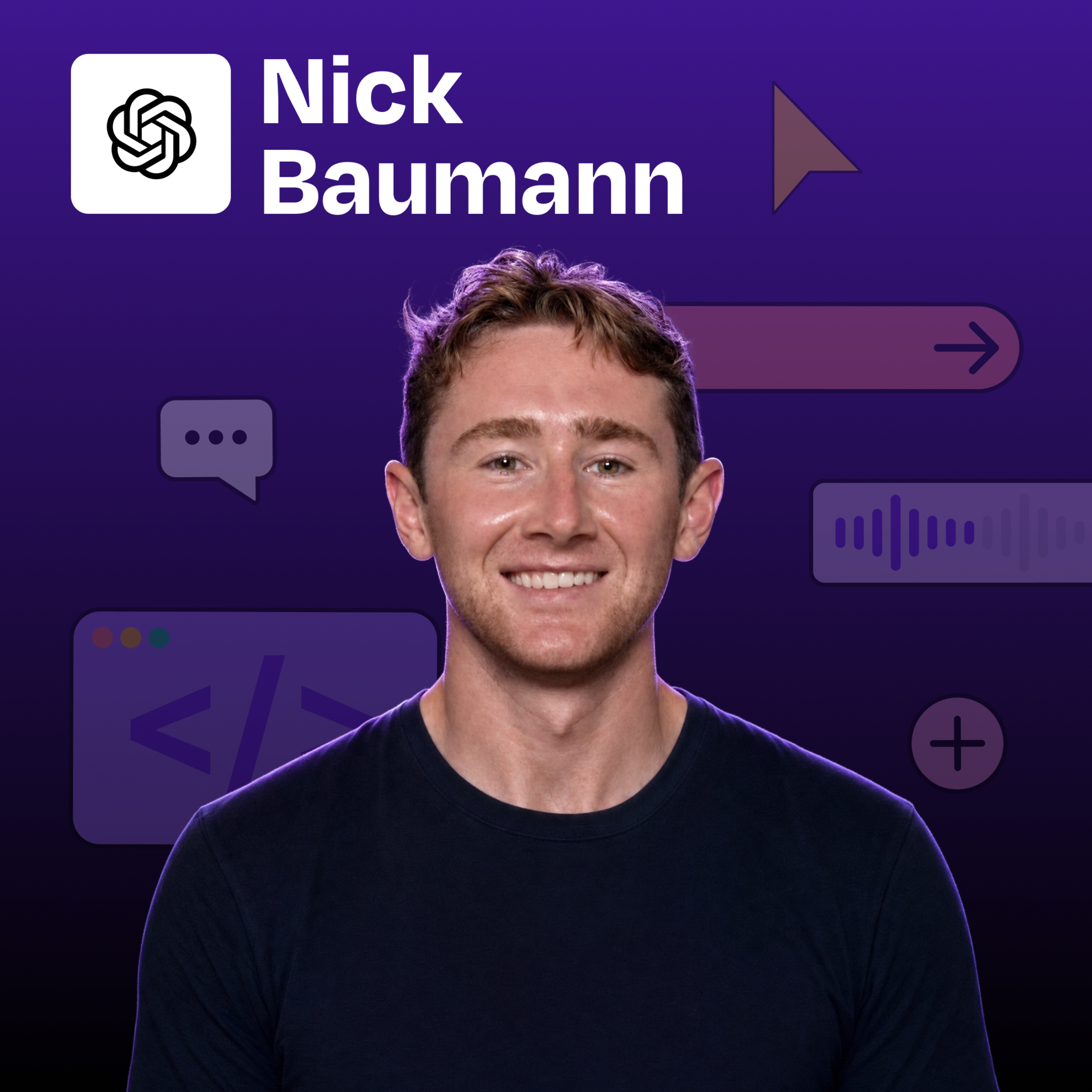 ChatGPT Codex Voice + browser + Sites: an expert’s AI workflow | Nick Baumann (OpenAI) 03.08.2026 41minNick Baumann is on the Developer Experience team at OpenAI, where he spends his days building with, testing, and communicating the capabilities of ChatGPT Codex and ChatGPT Work. In this episode, Nick walks me through several features that have launched or evolved recently: the new voice interface with its screen-reading orb, the Heartbeats automation system in ChatGPT Work on mobile, the live ChatGPT Sites deployment feature, and his personal use case for AI-assisted UGC video editing.What you’ll learn:How two-person voice chat worksHow Heartbeats workHow to build and deploy a live website with ChatGPT SitesHow to delegate a flight search, hotel booking, and expense report to Codex in a single voice conversation without opening a single app manuallyWhy ChatGPT Work on mobile is the most underutilized AI workflow for people already using the ChatGPT appHow to use a custom UGC Video plugin to feed 50 raw clips into ChatGPT, let it pull transcripts, pick the best takes, and assemble a finished vertical video overnight—Brought to you by:Bolt.new—Turn your idea into a real productHyperagent—Deploy fleets of agents that handle real work—In this episode, we cover:(00:00) Introduction to Nick Baumann(02:56) What’s new in Codex(05:40) ChatGPT Work and Heartbeats(06:40) Live Codex voice demo(13:25) Latency vs. intelligence(14:36) Quick recap(15:04) Voice on mobile and the ChatGPT Sites workflow(21:24) Live UGC video demo(32:30) How I AI website results(34:04) Lightning round and final thoughts—Tools referenced:• ChatGPT Codex: https://chatgpt.com/codex• ChatGPT Sites: https://chatgpt.site—Where to find Nick Baumann:LinkedIn: linkedin.com/in/nick--baumann—Where to find Claire Vo:ChatPRD: https://www.chatprd.ai/Website: https://clairevo.com/LinkedIn: https://www.linkedin.com/in/clairevo/X: https://x.com/clairevo—Production and marketing by https://penname.co/. For inquiries about sponsoring the podcast, email [email protected].
 -
 From zero coding background to hardware hacker: How Cursor + a Raspberry Pi makes AI fun 27.07.2026 28minMaddie Reese is a vibe coder, hardware tinkerer, and builder. She builds things at the intersection of software and hardware, including a thermal receipt printer that people around the world can message directly, a fully functional Twitter pager running on a Raspberry Pi, and a personal API that tells you her coffee order so you don’t have to ask. Maddie approaches hardware the same way she approaches software: dump the idea into Cursor, let it interview her, get a shopping list, triple-check the parts before buying, and build. She got her start after her dad introduced her to Lovable, and she locked herself in her room and didn’t come up for air.What you’ll learn:How Maddie built a thermal receipt printer that accepts messages from anywhere in the world using a Raspberry Pi and BluetoothHow to use Cursor’s agent view to brainstorm a hardware projectWhat belongs in a personal API and why agents, not just humans, will be the ones using itHow to read just enough code to do some damage, without needing to understand all of itWhy building for fun, not practicality, is the fastest path to actually shipping physical projects—Brought to you by:Firecrawl—Power AI agents with clean web dataCustomer.io—Build customer engagement campaigns from a single prompt—In this episode, we cover:(00:00) Intro(02:00) Maddie’s AI pill moment(03:53) The thermal receipt printer: live demo and how it works(11:10) The pager project(17:23) Why she uses Cursor’s clean agent view instead of terminals and browsers(19:05) The personal API: coffee order, pets, favorite snacks, and more(22:57) Lightning round and final thoughts—Tools referenced:• Cursor: https://www.cursor.com/• Lovable: https://lovable.dev/• Raspberry Pi: https://www.raspberrypi.com/• Resend: https://resend.com/• Cloudflare Workers: https://workers.cloudflare.com/• Supabase (Conduct database referenced): https://supabase.com/• Twitter/X API: https://developer.x.com/• Spoke pager network: https://www.spoke.com/• OpenClaw: https://openclaw.ai/—Where to find Maddie Reese:Website: https://maddiedreese.comMessage her directly: https://maddiedreese.com/messageX: https://x.com/maddiedreese—Where to find Claire Vo:ChatPRD: https://www.chatprd.ai/Website: https://clairevo.com/LinkedIn: https://www.linkedin.com/in/clairevo/X: https://x.com/clairevo—Production and marketing by https://penname.co/. For inquiries about sponsoring the podcast, email [email protected].
 -
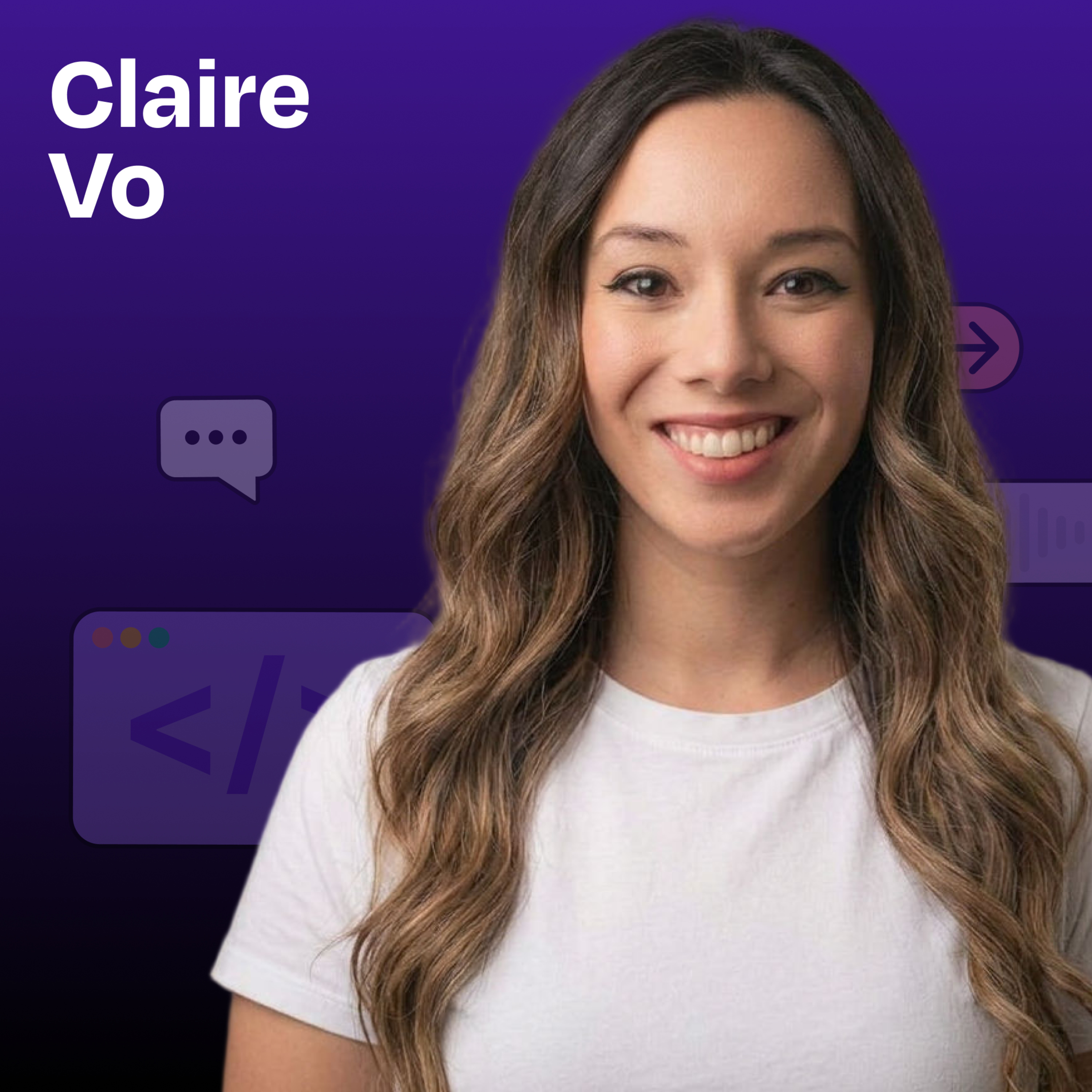 Claude Opus 5 review: this model is brilliant (but annoying) 24.07.2026 24minI’m tired of new models. Every week there’s a new benchmark, a new frontier intelligence claim, a new thing to test. But here we are, because Opus 5 just dropped and I’ve had real hands-on time with it, so you’re getting the honest version.This is my full Opus 5 review: personality analysis, live benchmark results from my 7-model How I AI eval, and an actual verdict on whether I’m swapping it in. Spoiler: the answer surprised me.What you’ll learn:Why I think we’ve hit an intelligence overhang and what that means for which model variables actually matter nowHow Opus 5’s “neurotic” personality showed up in real coding sessions, including a merge conflict it refused to touchWhat I learned from asking both Opus 5 and GPT‑5.6 Sol “who’s smarter, you or me?”Where Opus 5, GPT‑5.6 Sol, Sonnet 5, and Gemini 3.1 Pro actually landed on the HIA benchmark leaderboardThe one use case where Opus 5 earned straight 5s from meMy actual plan for using Opus 5 going forward—In this episode, I cover:(00:00) Opus 5 is here(03:15) First impressions(06:12) Opus 5 vs. GPT‑5.6 Sol personality comparison(14:39) Claude Slop: the verbosity problem and why it makes my blood boil(16:55) How the How I AI benchmark works (7 models, 6 tasks, blind scoring)(18:30) Live benchmark results: the leaderboard reveal(23:25) My verdict and how I’ll actually use Opus 5—Tools referenced:• Claude Opus 5:• Anthropic blog: https://www.anthropic.com/news• GPT‑5.6 Sol: https://openai.com/index/previewing-gpt-5-6-sol/• Sonnet 5: https://www.anthropic.com/news/claude-sonnet-5• Gemini 3.1 Pro: https://deepmind.google/models/gemini/pro/—Where to find Claire Vo:ChatPRD: https://www.chatprd.ai/Website: https://clairevo.com/LinkedIn: https://www.linkedin.com/in/clairevo/X: https://x.com/clairevo—Production and marketing by https://penname.co/. For inquiries about sponsoring the podcast, email [email protected].
 -
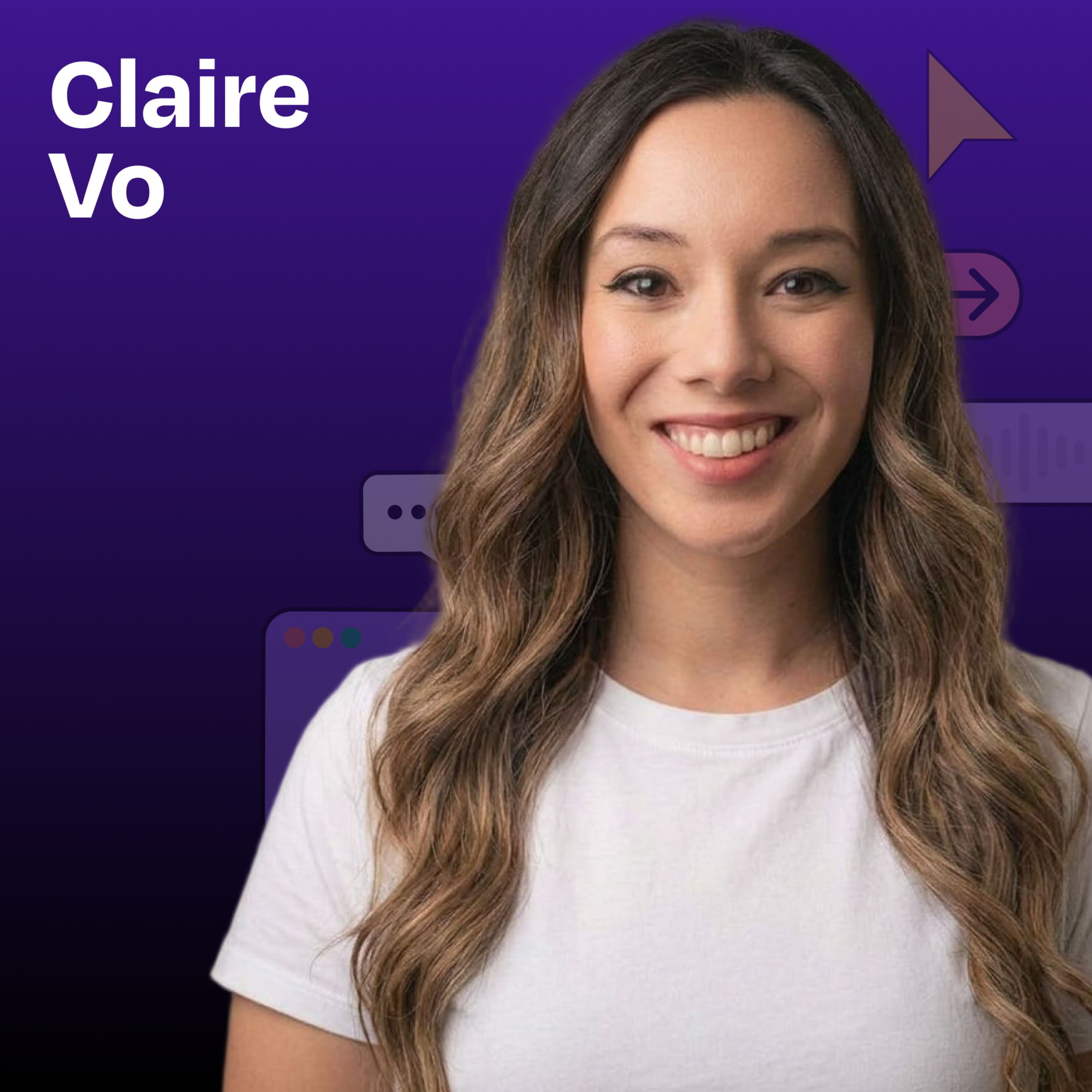 Computer & browser use in Codex (5 real examples) 22.07.2026 27minToday I’m walking you through one of my absolute favorite AI features right now: browser and computer use via Codex (the ChatGPT desktop app). I use this every single day, personally and professionally, and I wanted to share the specific workflows I’ve built, the moments that surprised me, and the mental model that makes it actually click.What you’ll learn:How browser use and computer use work, and why the Codex desktop app plus Chrome extension is the combo I rely onHow I use Codex to QA my onboarding flow, including exhaustive mobile testing I would never do manuallyWhy under-prompting frontier models gets better results than detailed step-by-step instructionsHow my husband EJ Lawless’s persona-impersonation trick surfaces friction points I can’t see as the builderHow I use browser use to get through my LinkedIn inbox without touching it myselfHow I had Codex shop Free People’s sale and add 10 medium items to my cart (breastfeeding-friendly and Hawaii-ready)How computer use can control iPhone mirroring so your Mac can technically operate your phoneThree more computer-use shortcuts: filling annoying forms, creating Google Sheets mid-workflow, and managing router—Brought to you by:Runway—The creative AI platform for images, video and moreHyperagent—Deploy fleets of agents that handle real work—In this episode, we cover:(00:00) Intro(01:46) What browser use and computer use actually are(03:08) Why I use Codex specifically and how the desktop app plus Chrome extension works(04:15) Use case 1: QA testing my onboarding flow(10:41) Results: 11 issues, one high-severity blocker, one Google Sheet with screenshots(12:10) Use case 2: persona testing(18:20) Use case 3: LinkedIn inbox, hands-free(20:37) Use case 4: AI personal shopper(23:47) Rapid-fire uses: forms, iPhone mirroring, router access from out of state, Google Docs(26:50) Wrap-up—Tools referenced:• Codex (ChatGPT desktop app): https://openai.com/codex• Claude desktop app: https://claude.ai/download• Monologue (voice dictation for AI): https://monologue.app• iPhone mirroring (Apple): https://support.apple.com/en-us/111775• Google Sheets: https://sheets.google.com—Other references:• Jesse Genet episode (How I AI): https://www.lennysnewsletter.com/p/5-openclaw-agents-run-my-home-finances?utm_source=publication-search—Where to find Claire Vo:ChatPRD: https://www.chatprd.ai/Website: https://clairevo.com/LinkedIn: https://www.linkedin.com/in/clairevo/X: https://x.com/clairevo—Production and marketing by https://penname.co/. For inquiries about sponsoring the podcast, email [email protected].
 -
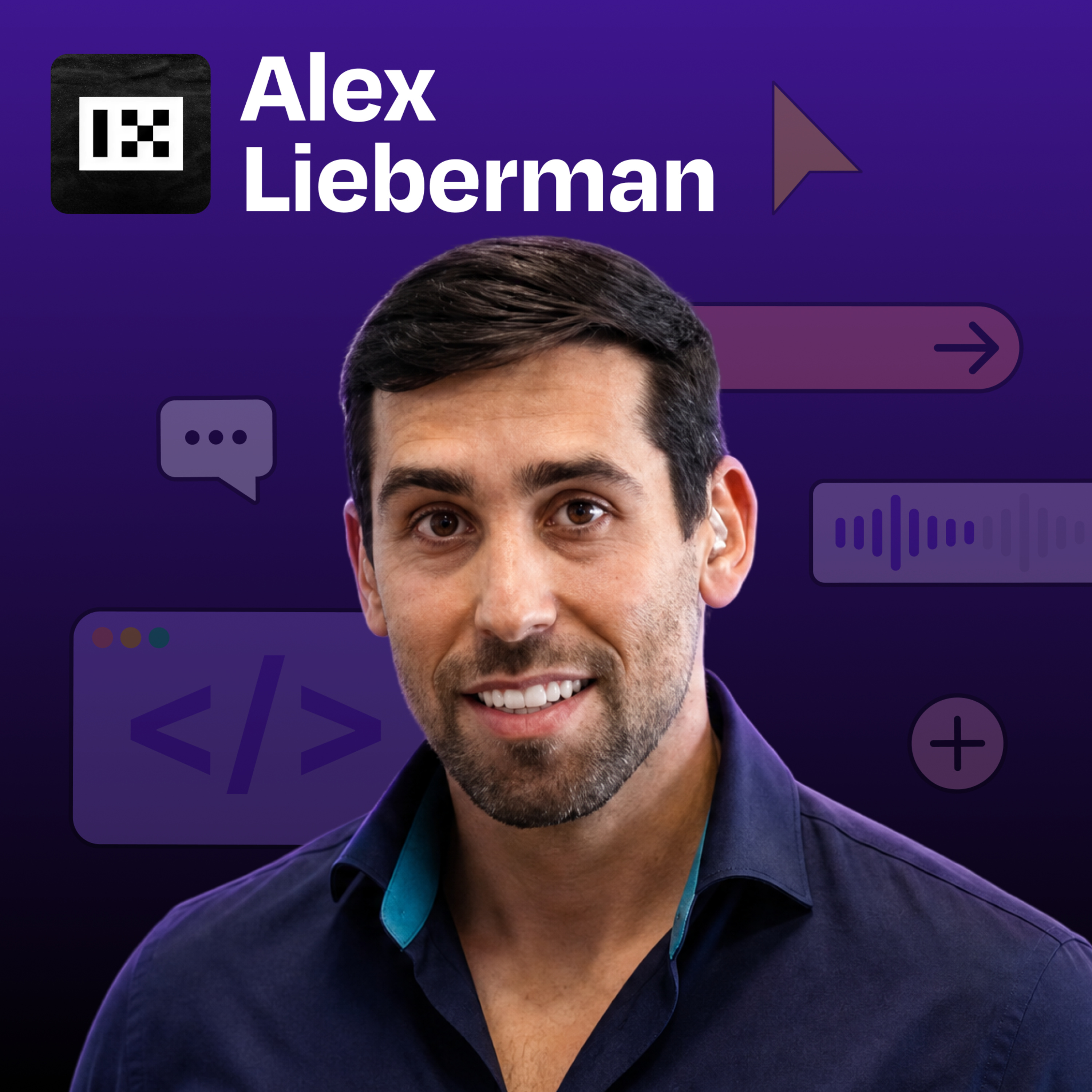 How the founder of Morning Brew built a Claude content machine that never runs out of ideas and never sounds like slop | Alex Lieberman 20.07.2026 42minAlex Lieberman co-founded Morning Brew in college and grew it into one of the most-read business newsletters in the world before selling it to Business Insider. Now he’s the co-founder and co-managing partner of Tenex. In this episode, Alex explains why distribution is becoming a durable moat, why founders and teams need to “climb Cringe Mountain,” and how he rebuilt his content process around AI without letting it produce generic slop. He walks us through every step of his Content Machine live: an Oracle that scans internal systems and the internet for content spikes, an interview panel that pulls out his real ideas, voice and style files that keep drafts sounding like him, an editorial council that scores and revises posts, and a lessons loop that learns from his feedback.What you’ll learn:Why the blank page is the biggest friction point in content creation, and how an AI Oracle eliminates itHow to map your current workflow before you add any AIHow Alex built a six-step Content Machine in Claude that goes from idea spike to publishable postWhy the interview step (not the drafting step) is where AI slop actually comes fromHow to codify your voice in a Markdown file so an AI drafts in your register, not the internet’s averageWhy your employees are your most underleveraged marketing channel right nowHow the Tenex Creator Cup turned content creation into a team sport with a $5,000 prize pool—Brought to you by:Firecrawl—Power AI agents with clean web dataCustomer.io—Build customer engagement campaigns from a single prompt—In this episode, we cover:(00:00) Introduction to Alex Lieberman(02:35) Why Alex built a content machine(06:56) Alex’s thoughts on AI slop(09:00) Mapping the workflow from scratch(13:24) The six-step Content Machine setup(23:11) Live demo: Oracle, Interview Panel, and Writer’s Council in action(30:38) Employee advocacy: the Tenex Creator Cup and $5K prize pool(36:45) Lightning round: great engineers, AI use cases, slop fixes—Tools referenced:• Claude / Claude Code (Anthropic): https://claude.ai• Wispr Flow (voice-to-text transcription): https://wisprflow.ai• Notion: https://notion.so• Linear: https://linear.app• Slack: https://slack.com—Other references:• Morgan Housel: https://www.morganhousel.com• David Perell: https://perell.com• Shaan Puri / My First Million podcast: https://www.mfmpod.com• Gary Vaynerchuk: https://garyvaynerchuk.com—Where to find Alex Lieberman:X: https://x.com/businessbaristaLinkedIn: https://www.linkedin.com/in/alex-lieberman/Tenex: https://www.tenex.co/—Where to find Claire Vo:ChatPRD: https://www.chatprd.ai/Website: https://clairevo.com/LinkedIn: https://www.linkedin.com/in/clairevo/X: https://x.com/clairevo—Production and marketing by https://penname.co/. For inquiries about sponsoring the podcast, email [email protected].
 -
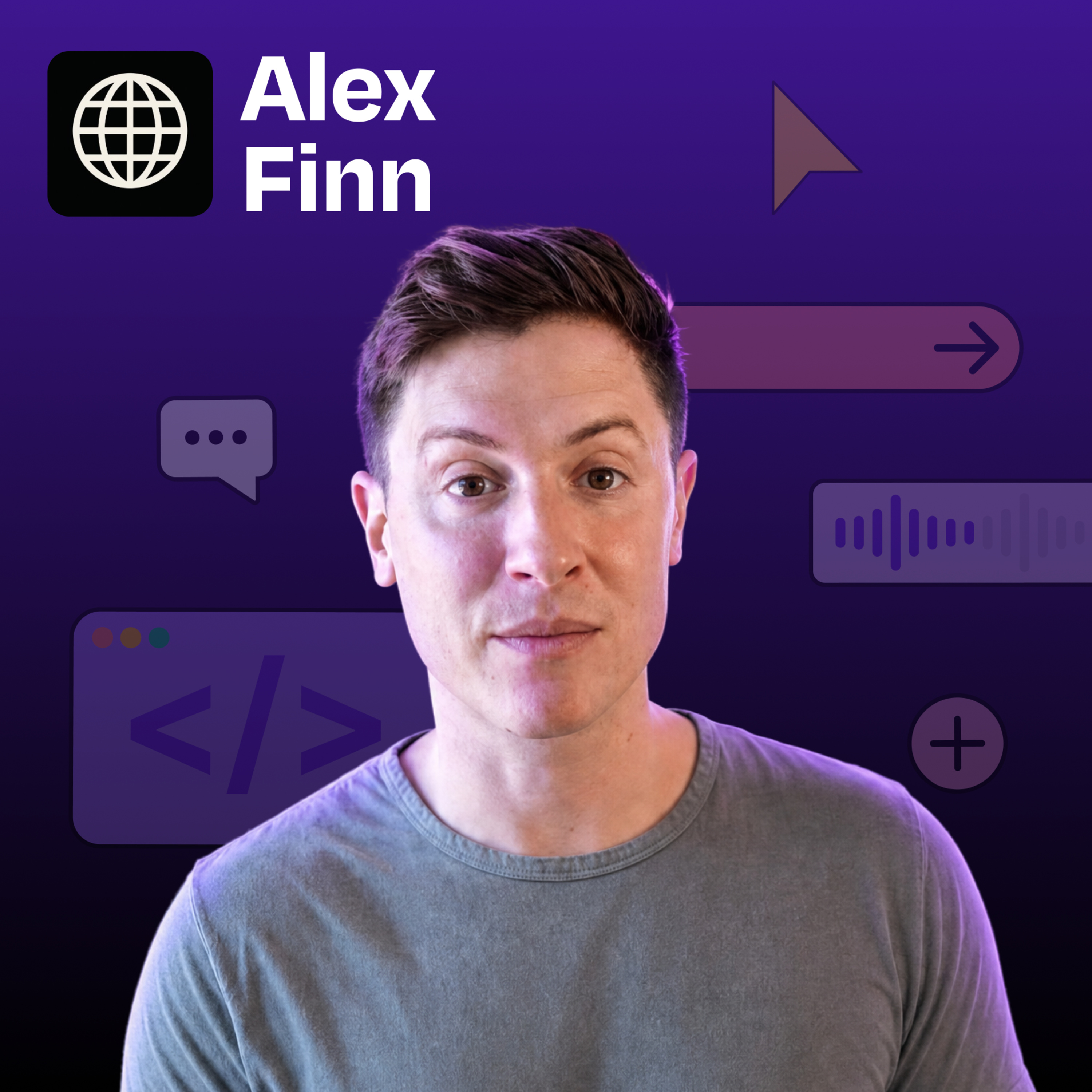 This solo builder runs 24/7 local AI on his own hardware | Alex Finn 13.07.2026 35minAlex Finn is an AI builder, YouTuber, and the creator of Vibe Code Academy, a community for people learning to build with AI tools. He runs one of the most ambitious local AI setups I’ve come across: three Mac Studio 512 GB machines, a DGX Spark, and a custom RTX 5090 build, all coordinated through a fleet dashboard he built himself. He’s spent five months figuring out which local models belong on which machines, how to wire them to Claude Code loops, and how to get a software factory running without babysitting it.What you’ll learn:How Alex chose between a Mac Studio (512 GB unified memory), DGX Spark, and RTX 5090, and what each is actually good forWhy Tailscale is worth installing even on a single machine, and how it lets one agent manage your entire hardware fleetHow the build loop and review loop in Claude Code workHow to allocate tasks by machine and modelWhy unlimited local inference changes the use-case math in a way a $20 cloud subscription never canWhat OpenClaw and Hermes are each best suited for, and why Alex runs five agents total with failover baked in—Brought to you by:Runway—The creative AI platform for images, video, and moreJira Product Discovery—Prioritize with insights, build with confidence—In this episode, we cover:(00:00) Intro(02:58) Alex's hardware stack(03:48) What "ambient AI" means(04:15) Alex's red-pill moment with OpenClaw(07:04) Mac Studio vs. DGX Spark vs. RTX 5090(13:24) How to set up local models with no technical knowledge (Tailscale + OpenClaw/Hermes)(17:16) Fleet control dashboard: assigning 24/7 tasks across machines(20:42) Local models as security scanners feeding Claude Code(22:25) How Alex allocates GLM 5.2, Qwen 3.6, and Ornith 1.0 by task(24:28) OpenClaw vs. Hermes: the honest comparison(26:55) The software factory: build loop, review loop, rocket emoji(31:55) Lightning round: favorite hardware, favorite model, prompting style(34:46) Where to find Alex—Tools referenced:• Claude Code: https://claude.ai/code• OpenClaw: https://openclaw.ai/• Hermes: https://hermes-agent.nousresearch.com/• Tailscale: https://tailscale.com/• Codex (OpenAI): https://openai.com/codex• GLM 5.2 (z.ai): https://huggingface.co/zai-org/GLM-5.2• Qwen 3.6 (Alibaba): https://huggingface.co/Qwen/Qwen3.6-35B-A3B• Ornith 1.0: https://github.com/deepreinforce-ai/Ornith-1• Gemma 4: https://huggingface.co/collections/google/gemma-4• Playwright (browser testing): https://playwright.dev/• Vercel (preview deploys): https://vercel.com/—Other references:• DGX Spark (Nvidia): https://www.nvidia.com/en-us/products/workstations/dgx-spark/• Mac Studio (Apple): https://www.apple.com/mac-studio/• How to design AI agent loops: schedules, goals, and subagents in Claude Code and Codex: https://www.lennysnewsletter.com/p/how-to-design-ai-agent-loops-schedules—Where to find Alex Finn:LinkedIn: https://www.linkedin.com/in/alex-finn-1848684aYouTube: https://www.youtube.com/@AlexFinnOfficialX: https://x.com/AlexFinn—Where to find Claire Vo:ChatPRD: https://www.chatprd.ai/Website: https://clairevo.com/LinkedIn: https://www.linkedin.com/in/clairevo/X: https://x.com/clairevo—Production and marketing by https://penname.co/. For inquiries about sponsoring the podcast, email [email protected].
 -
 GPT-5.6 Sol vs. Claude Fable: Why OpenAI’s new model crushes my benchmark 09.07.2026 36minGPT-5.6 Sol is back, and I ran it through my full How I AI vibe benchmark against GPT-5.6 Terra, Luna, Claude Fable 5, and Sonnet 5 across five categories: PRDs, prototypes, wireframes, debugging, and agentic voice. Sol won by a meaningful margin on my Claire Weighted Index (70% my taste, 30% Terminal Bench 2.1), and I also tested two use cases I can't stop thinking about: building a gamified homework tracking app for my kids in one shot with Codex, and browser automation with Chrome that burned through 500 LinkedIn replies while I did literally nothing.What you’ll learn:How I scored five AI models (including GPT 5.6 Sol, Fable 5, and Sonnet 5) using my “Claire Weighted Index” benchmark across PRDs, prototypes, code, and agentic voiceThe difference between GPT-5.6 Sol (Terra) and Sol for PRD writingHow Fable’s precision and pedantry made it harder to collaborate with, and the exact moment Sol broke through where Fable got stuckWhy Sonnet 5 is still my go-to for agentic voice in OpenClaw, even after this whole benchmarkHow I used GPT-5.6 Sol in Codex to build a fully gamified homework tracking app for my kids in one shotThe video editing use case that saved me hours clipping a talk I gave at Cursor’s eventHow to use Codex plus GPT-5.6 and Chrome for browser automation, and why this is my single most-loved use case right now—In this episode, I cover:(00:00) Intro(01:10) The three GPT-5.6 models: Sol, Terra, Luna(02:17) Pricing: Sol vs. Fable API costs(03:24) The How I AI benchmark(05:03) Claire-weighted Index results(07:00) Per-task winners: prototypes, PRDs, agentic voice(11:59) What Claire actually rewards(13:20) Full-fidelity prototype side-by-sides (Sol vs. Fable)(17:45) Wireframes(18:19) Agentic voice(19:15) Where Sol is better than other models(23:56) Gamified kids’ homework app, built in one shot(28:02) Fable’s pedantry problem and how Sol broke through it(31:49) Two bonus use cases: video editing and browser use(35:08) Final summary and model recommendations—Tools referenced:• GPT 5.6 (Sol, Terra, Luna): https://help.openai.com/en/articles/20001325-a-preview-of-gpt-56-sol-terra-and-luna• Codex: https://openai.com/codex• ChatPRD: https://www.chatprd.ai/• CapCut: https://www.capcut.com/• Math Academy: https://www.mathacademy.com/—Other references:• Cursor event where Claire spoke on the future of PM: https://www.youtube.com/watch?v=4CAFK-rc26A• ChatPRD blog (where benchmark outputs will be published): https://www.chatprd.ai/—Where to find Claire Vo:ChatPRD: https://www.chatprd.ai/Website: https://clairevo.com/LinkedIn: https://www.linkedin.com/in/clairevo/X: https://x.com/clairevo—Production and marketing by https://penname.co/. For inquiries about sponsoring the podcast, email [email protected].
Līdzīgi podkasti


Populārs valstī
Šis podkasts parādās arī šo valstu podkastu topos.
-
 Latvija
-
 Mongolija
-
 Urugvaja
-
 Sjerraleone
-
 Igaunija
-
 Katara
-
 Bolīvija
-
 Omāna
Omāna
-
 Paragvaja
-
 Tadžikistāna
-
 Lietuva
-
 Čīle
Čīle
-
 Kostarika
-
 Gvatemala
-
 Slovākija
-
 Serbija
-
 Slovēnija
-
 Peru
Peru
-
 Horvātija
-
 Singapūra
-
 Šrilanka
-
 Portugāle
-
 Argentīna
-
 Uzbekistāna
-
 Armēnija
-
 Bulgārija
-
 Ungārija
-
 Kuveita
-
 Luksemburga
-
 Filipīnas
-
 Rumānija
-
 Barbadosa
-
 Jordānija